How to use Claude's voice mode
Anthropic's chatbot can be very vocal, if you want it to be. Since 2025, Anthropic has offered a voice mode through Claude, allowing you to speak to its chatbot instead of writing out your prompts. …
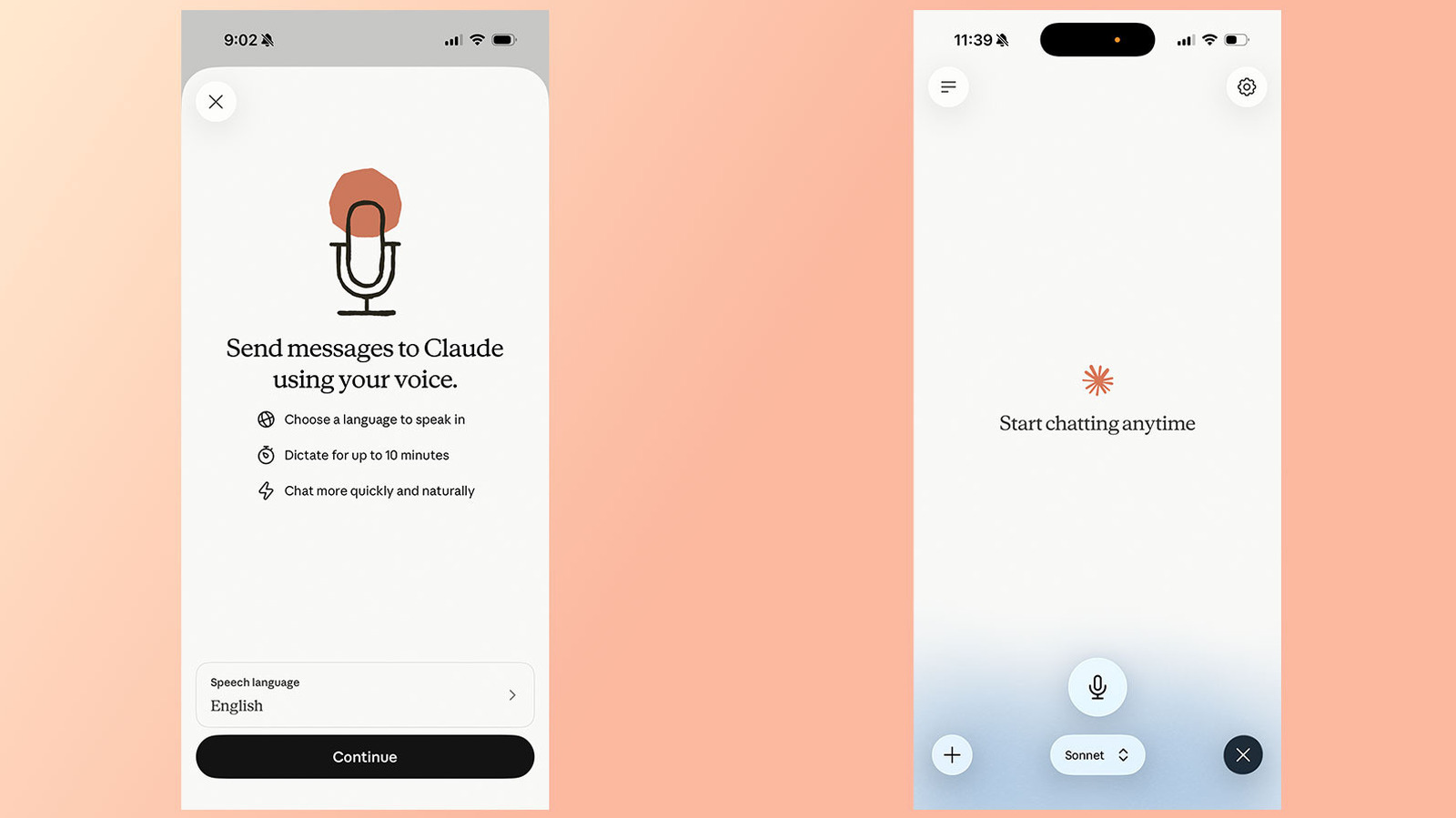
Since 2025, Anthropic has offered a voice mode through Claude, allowing you to speak to its chatbot instead of writing out your prompts. This past July , the company updated the feature to make it more useful. Before, voice mode limited users to speaking to Claude through Haiku, Anthropic's least powerful model. This was done to reduce latency. Now, voice mode also works through the company's more powerful models, including Sonnet and Opus , and can even pull context from your connected apps and services.
If you're a frequent Claude user and want to give the feature a try, here's how to do it.
Voice mode is available through the Claude mobile ( Android and iOS ) and desktop apps, as well as through the web . Anthropic says the feature works best from your phone.
Tap the black waveform icon in the lower right corner of the interface (not the microphone icon right next to it).
Start talking. Claude will generate a response once you finish a prompt.
One thing to keep in mind is Claude's voice mode uses a "turn-based" architecture, meaning the chatbot will listen to you before it generates a response. This is different from ChatGPT's voice mode, which OpenAI recently updated to use a "duplex" architecture. That system gives its GPT-Live models the ability to simultaneously process speech and generate outputs.
In practice, that means voice mode sometimes confuses a brief pause for the end of a question or prompt. For that reason, Anthropic recommends asking multi-part questions one at a time instead of all at once.
You can change the model Claude will use to generate a response from the model picker at the bottom of the interface. See below for a list of available models, followed by a short description from Anthropic.
Read Full Story at Engadget →