HP Omnibook X (2026) review: Nailing the basics
It’s not flashy, but it still excels in almost every way. HP is making some excellent laptops this year. We loved the Omnibook Ultra , the company's most powerful ultraportable, and now we're lookin…
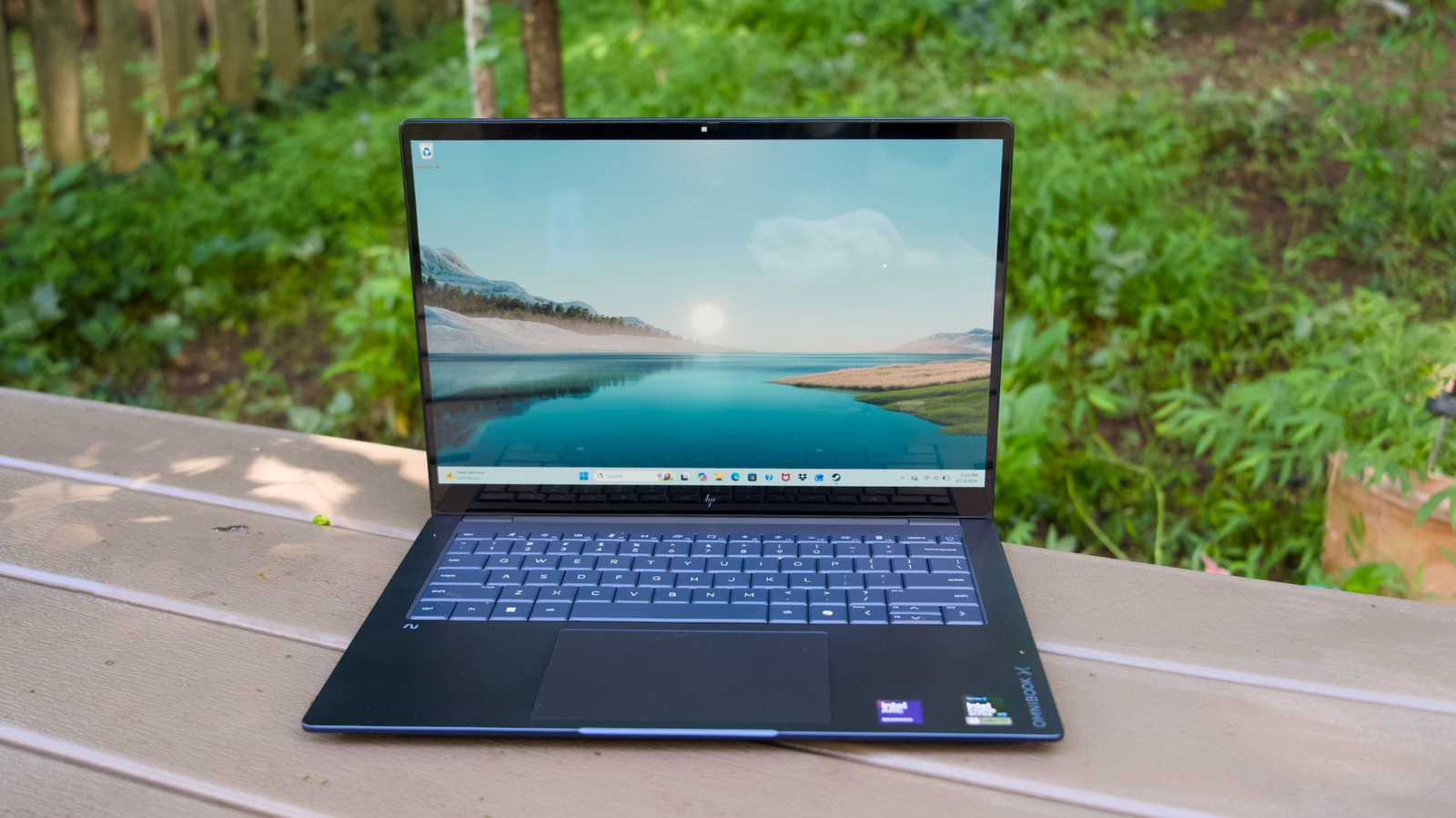
HP is making some excellent laptops this year. We loved the Omnibook Ultra , the company's most powerful ultraportable, and now we're looking at the Omnibook X, a slightly less flashy (but still powerful) notebook for professionals. Look past its somewhat prosaic design and you'll find a notebook that gets the basics right. It sports a glorious 14-inch OLED screen, along with some of Intel's fastest mobile chips, an excellent keyboard and trackpad and a ton of ports. Its starting price is reasonable: It's currently on sale for $900 . But even its regular $1,400 price isn't obscene for an ultraportable.
None of this is really new for HP. I've been a fan of every iteration of the Spectre x360 convertible , all the way back to its 2019 edition, but the Omnibook X feels like a refreshing throwback to a time before laptop gimmicks. It doesn't have a rotating screen, and it's not striving to be obscenely thin (if you want something slimmer, look at the Omnibook Ultra). It evokes the same sense of buttoned-up professionalism as the Surface Laptop or Apple's MacBook Pro. Sometimes, it's good to be a bit boring.
Reiterating what I said above, the Omnibook X really gets just about everything right. That was evident the minute I laid hands on it. The Omnibook X's smooth anodized aluminum case feels like it's meant for a tank. At 2.9 pounds, it's still lighter than the 3.4-pound 14-inch MacBook Pro, and it still feels relatively slim with its 12.6mm thickness. Open it up, and you're greeted with a glorious 14-inch 3K OLED screen, a wide lattice-free keyboard and a generously large haptic touchpad.
Our review model was equipped with 32GB of RAM and Intel's speedy Core Ultra X9 388H chip, a 16-core beast with Intel's Arc B390 GPU, and it simply flew through the Windows 11 setup process. I can't speak for the performance of the Core Ultra 5 and 7 versions of the Omnibook X, but I'd wager their basic desktop performance (without counting intensive 3D games) would be similar.
The 3K OLED display can reach up to 1,100 nits of HDR brightness and 500 nits of SDR (which is what you'll be seeing most of the time). As a 16:10 touchscreen, it gives you a bit more vertical space than typical widescreen displays. The 3K OLED option also sports a 120Hz refresh rate (for extra smooth scrolling and gaming), and it covers 100 percent of the DCI-P3 color gamut. HP also offers 2K IPS LCD and OLED options, but neither are as bright and don't have touch capabilities.
No matter which version of the Omnibook X you get, you'll be blessed with a ton of useful ports. It has USB-C and Type-A connections on both sides, as well as an HDMI port and a headphone jack. Given its professional audience, I would have liked to see an SD card reader too. There's certainly enough room for one on either side of its case.
The Omnibook X is a powerhouse. No matter what I threw at it — multiple browsers with dozens of tabs, incredibly large photo editing jobs and 4K movie editing — it never broke a sweat. I never encountered any slowdowns or other issues, it just felt like a very reliable workhorse. You shouldn't expect anything less if you're springing for Intel's X9 chip and its integrated 32GB of RAM, which adds the price of another laptop ($1,030!) to the Omnibook X. That chip also requires a $90 upgrade for the 3K OLED screen.
I'll dive deeper into the Omnibook X's pricing options later in this review. For now, I can only review what's in front of me. And reader, I can't help but love it. The Omnibook X blew away every other PC we've seen this year in the PCMark 10 benchmark. It was only truly bested by the Omnibook Ultra, which has the same Intel chip, in Geekbench 6's tests.
Read Full Story at Engadget →