The Google Photos redesign broke something I use every day. Here’s how to fix it
If you’ve used Google Photos for years , as I and probably most people reading this have, there are certain features and creature comforts you’ve likely come to rely on. For me personally, one of tho…
Affiliate links on Android Authority may earn us a commission. Learn more.
If you’ve used Google Photos for years , as I and probably most people reading this have, there are certain features and creature comforts you’ve likely come to rely on. For me personally, one of those is seeing my photos organized by the date they were taken.
It’s a simple thing, but I love it. I like quickly scrolling through my Photos feed and knowing exactly when certain pictures or videos were captured. It helps me remember what I was doing on that specific date and keeps my app feeling nice and organized.
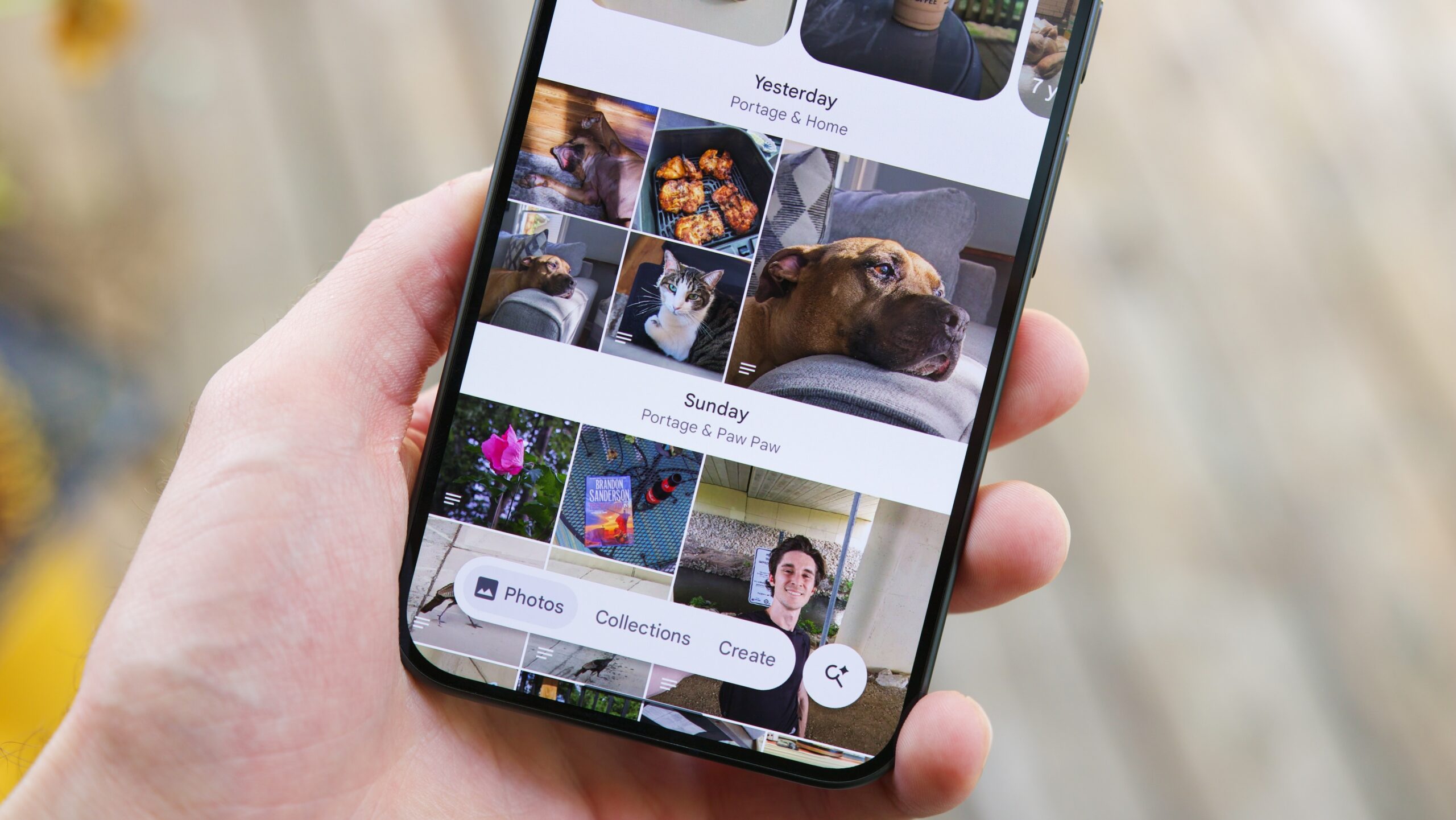
Unfortunately, that quietly disappeared from Google Photos earlier this year. Google didn’t make a big deal about it, but it happened. One of the most fundamental ways I use Photos was there one day and gone the next.
Thankfully, there is a way to bring it back, and I’m going to show you how.
Google removed dates from the Photos app home screen as part of its big Android app redesign that rolled out in early July . Notably, this update added the new floating bar UI to the bottom navigation area, giving Google Photos a much cleaner overall appearance.
For the most part, the redesign was positively received. My colleague Taylor said he wanted Photos’ nav bar design in every Google app , and according to our reader poll, 68% of you said you thought the new UI looked great. From a visual standpoint, I agree.
However, it also came at the cost of functionality. As you can see in the image above, the Photos app does still show the date at the top of the screen, but it’s a floating bar that dynamically changes as you scroll. All of your photos are lumped together in a single list, meaning there’s no clear delineation between the end of one day and the start of the next — and it’s been driving me crazy.
Read Full Story at Android Authority →