USB-A vs. USB-C: What's the difference between them?
These two connector types are visually distinct, but looks aren’t their only differences. You likely use USB every day to charge your phone, connect peripherals to your computer and much more. And f…
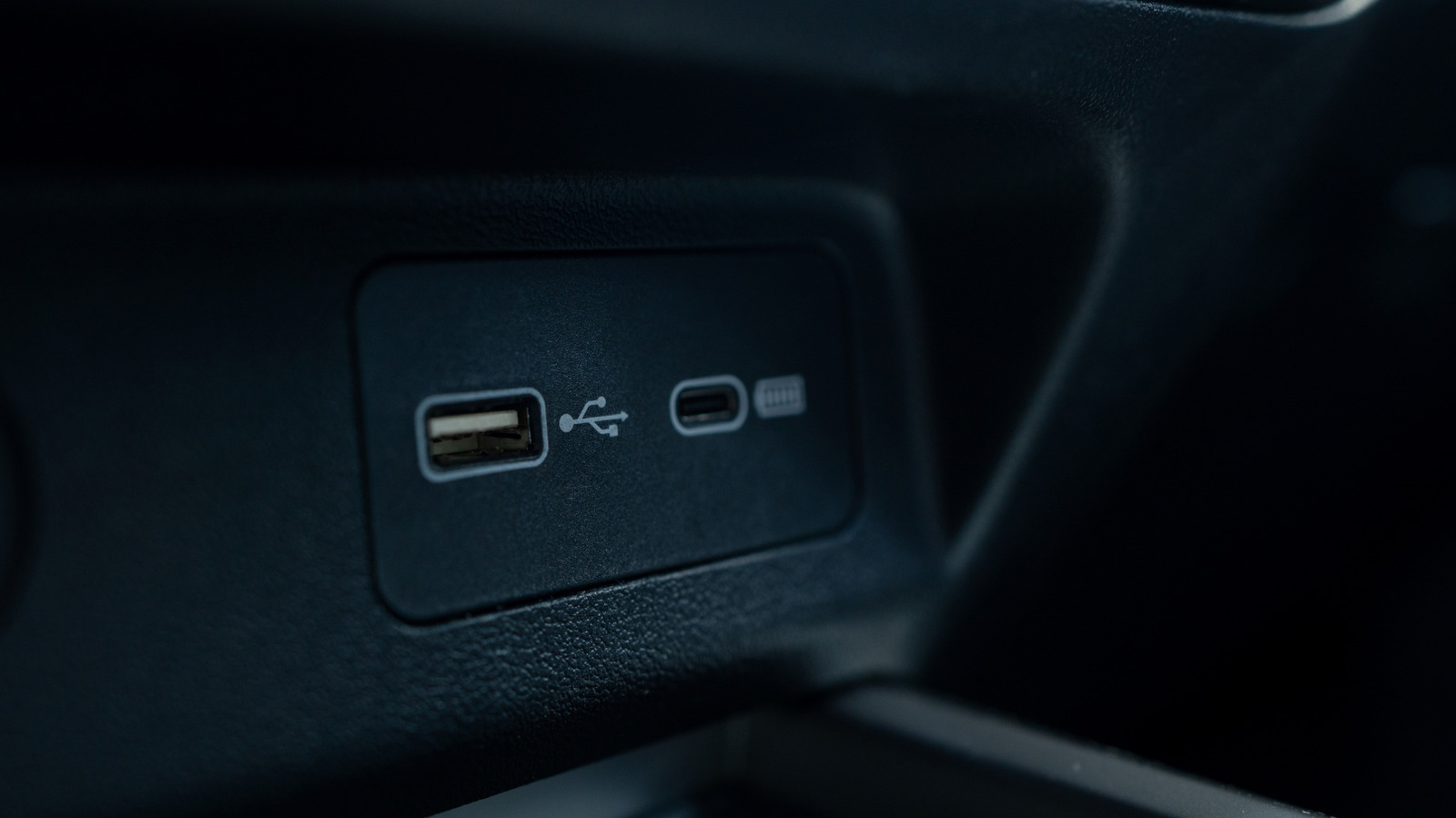
These two connector types are visually distinct, but looks aren’t their only differences.
You likely use USB every day to charge your phone, connect peripherals to your computer and much more. And for everything USB can do, it's only used a handful of connector types since its introduction in the mid-1990s. While these are identifiable from just a look, what each connection is capable of isn't always clear from the outside.
USB-C is newer than USB-A, but the older standard is still commonly used today. Understanding all the ways they differ helps you make better use of your tech and follow what's happening inside it.
USB-A (officially USB Type-A) is one of the two original connectors defined in the USB 1 standard. It uses a rectangular connector with all its pins on one side, so it will only connect to a port in one way — everyone has had to flip a USB-A plug multiple times to get it aligned correctly.
USB was created to simplify computer peripherals by providing one straightforward connection for accessories. Before it came around, plugging a device into your computer meant dealing with a mess of different cables and port compatibility. Early versions of USB designated one device as the host (usually the computer) and the second as the connected device; they weren't reversible. This is why you don't see USB-A to USB-A cables; plugging one of those into two computers would cause problems when both try to act as the host.
USB-B was the companion connector type in the early days , used for peripherals. You'll occasionally still see USB-B used for devices like printers, but it's much less common now. Mini-B and Micro-B (usually called Mini-USB and Micro-USB) served the same purpose, but were smaller so they could fit on mobile devices like MP3 players, phones and game controllers. These two were much more frequently used than standard USB-B until USB-C started replacing them.
USB-A is still used today and has wide compatibility across devices given how long it's been around. You'll see it on desktops and laptops, routers, game consoles, cars and device chargers (including various charging spots like clock radios, plane seats and couches).
USB-C (officially USB Type-C) debuted in 2014, though devices using it didn't properly roll out until 2015. Unlike USB-A, USB-C is a reversible oval, so you only have to attempt plugging it in once. USB-C also sidesteps the host-device distinction from earlier USB standards; when you connect two devices, they figure out which is which.
Read Full Story at Engadget →