2 ways Android users can take advantage of Apple's MagSafe accessories
Why should iPhone users get all the cool accessories? We may receive a commission on purchases made from links. Apple has experimented with a few hardware features across its products that haven't …
Apple has experimented with a few hardware features across its products that haven't always worked out as intended, like 3D Touch on the iPhone or the Touch Bar on MacBooks. This is why, when Apple took the stage in 2020 to introduce MagSafe for the iPhone 12 lineup, I wasn't immediately sold on the idea of having accessories magnetically snap onto the back of my phone. After all, we had seen a few smartphone makers experiment with similar ideas before, like Motorola with Moto Mods and Essential with its magnetic accessory connector, only for both systems to eventually disappear.
Well, it's been a few years since MagSafe was unveiled, and it's safe to say that Apple pulled it off. MagSafe has become part of the iPhone's DNA, so much so that when the iPhone 16e launched without the feature, its omission was talked about in nearly every review. A few Android manufacturers have also started to adopt similar magnetic charging systems thanks to the Qi2 standard. Google's phones have Pixelsnap , and the HMD Skyline from 2024 was one of the first Android smartphones to feature built-in magnets.
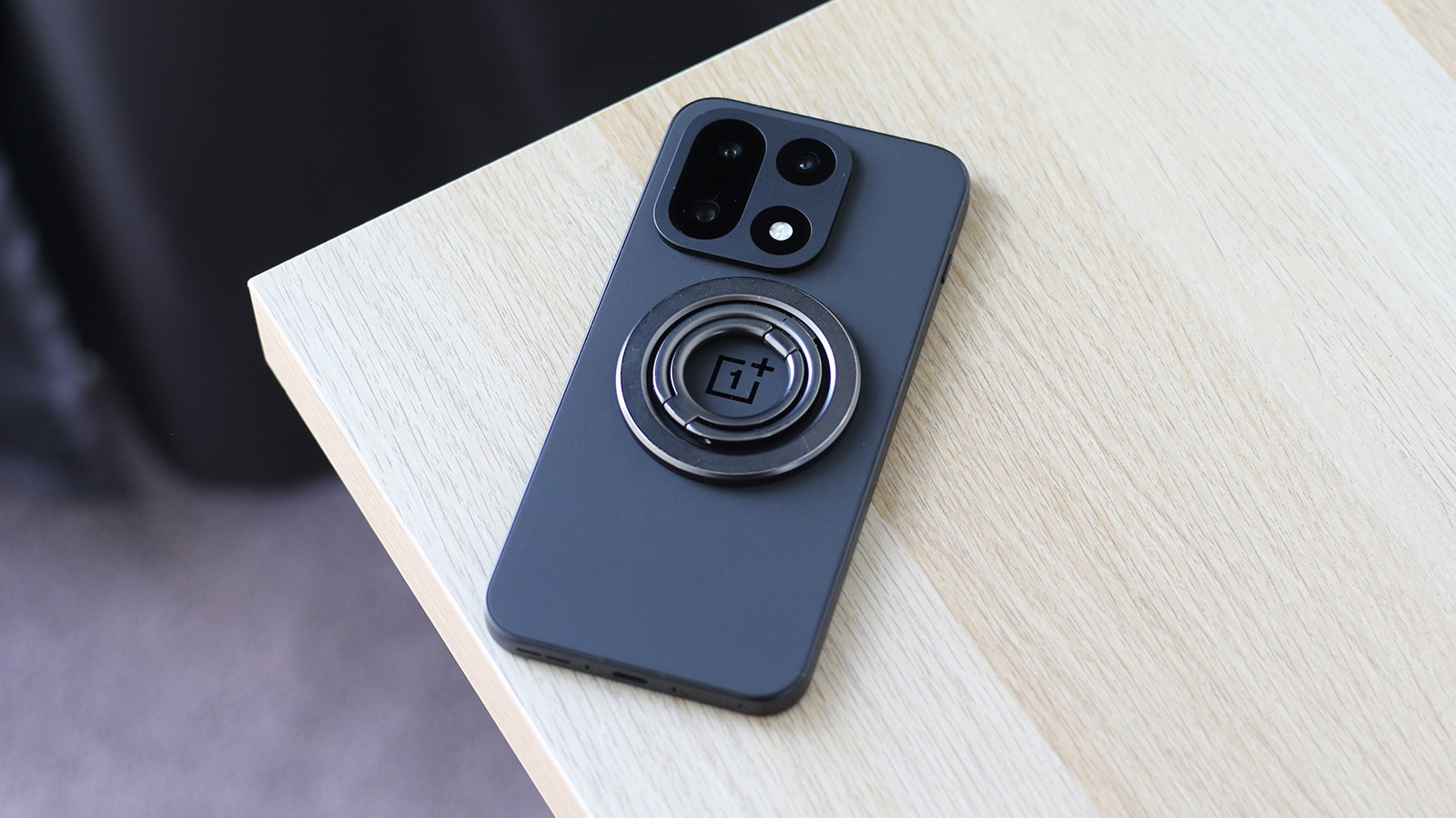
As popular and useful as it is, the feature still isn't widely available on Android phones. But don't let that stop you from eyeing MagSafe accessories. All you need is the right phone case with built-in magnets or a magnetic ring attachment to make just about any Android phone compatible with MagSafe accessories. Obviously, this is assuming your phone supports wireless charging. Even if it doesn't, certain accessories like magnetic wallets and PopSockets will still work just fine.
A few smartphone manufacturers, like Samsung and OnePlus, sell official phone cases with built-in magnets. You can also find cases from third-party manufacturers, which may sometimes be substantially cheaper. Cases with this functionality often advertise it quite clearly, but you should also be able to spot the distinctive magnetic ring on the back or inside of the case. Just slide your phone in, and you're ready to start using MagSafe accessories.
The obvious downside with this solution is that you don't get to be very picky about how your phone's case looks and feels. Some phone models that aren't very popular may not have magnetic phone cases on the market to begin with. This is where magnetic ring conversion kits come in handy. They stick to the back of your existing phone case, usually using 3M adhesive, and let you attach magnetic accessories. The ESR MagSafe Sticker is a popular pick on Amazon with over 12,500 reviews. It's not designed to be stuck directly to your phone, though, so you'll still need a phone case handy.
Though it's not as clean or convenient as the built-in mechanism that the iPhone offers, using a magnetic case or ring attachment is a quick and easy way to unlock compatibility with MagSafe accessories. Before you trust it with a MagSafe car mount or a wallet, make sure the magnetic hold is strong enough to keep the accessory securely attached. Fortunately, many third-party cases actually offer a stronger magnetic hold than you'd get with a caseless iPhone.
Read Full Story at Engadget →