I found a free, open-source Android app that replaced 8 other apps I used to rely on
One of my favorite things about using an Android phone is that I can find apps for pretty much anything , be it stitching images, rearranging PDFs, or creating QR codes — you name it. And that enable…
Affiliate links on Android Authority may earn us a commission. Learn more.
One of my favorite things about using an Android phone is that I can find apps for pretty much anything , be it stitching images, rearranging PDFs, or creating QR codes — you name it. And that enables me to tackle many trivial tasks right on my phone.
For the longest time, I used to download a bunch of apps — besides the essential ones — on every Android phone I used. But it wasn’t really practical: I had to redownload all the apps when I switched phones and keep them updated for the best experience. Not to mention, it also increased storage usage.
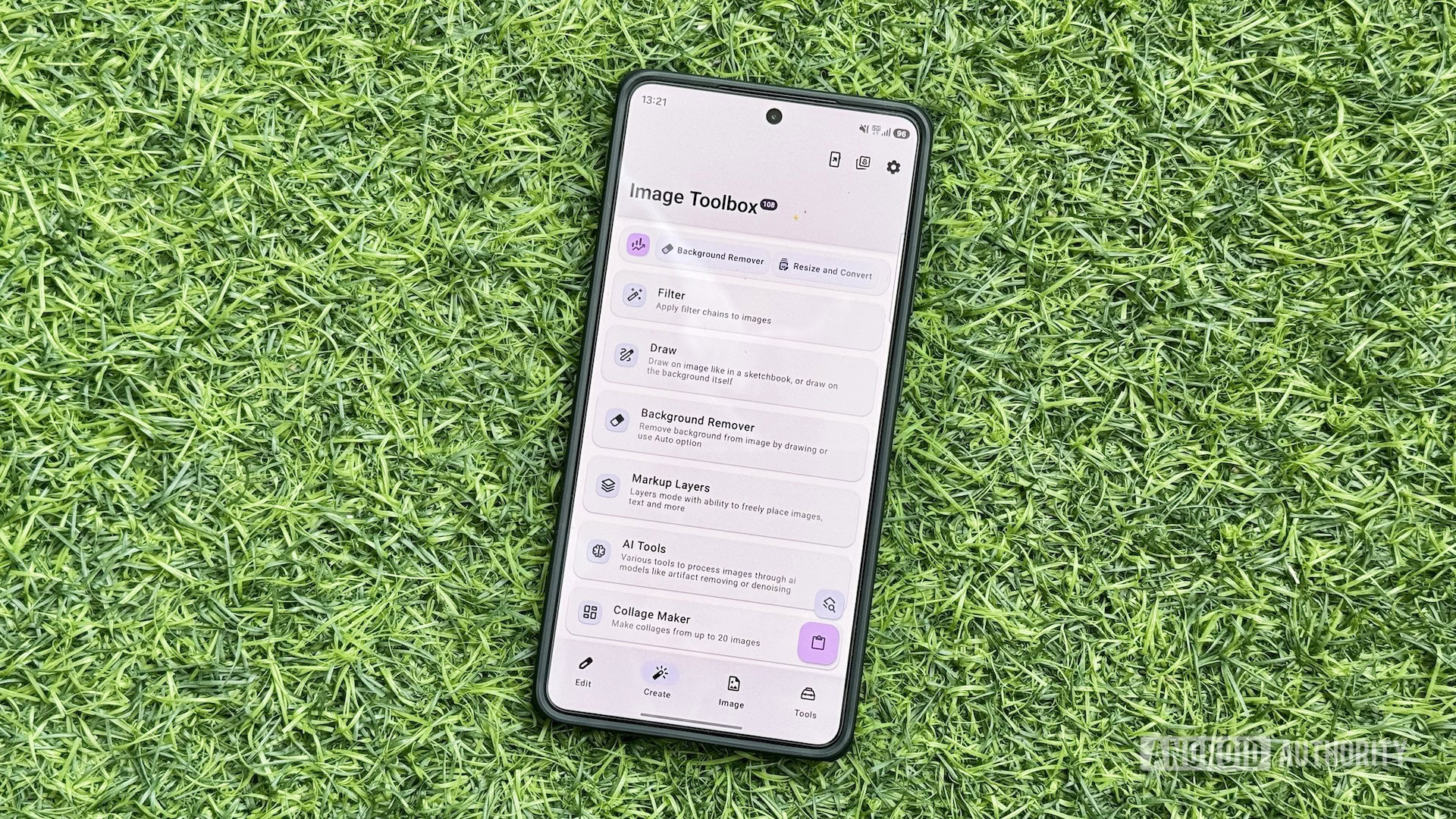
But that changed when I stumbled upon Image Toolbox, an Android app that packs dozens of tools to help with various media-related tasks on a phone. I’ve since replaced several single-purpose apps on my Android phone with Image Toolbox, and it has been serving my needs incredibly well.
Image Toolbox is a highly functional app that packs dozens of media tools under one roof, eliminating the need to find and download multiple apps individually. It’s open-source and completely free to use. And the best part is it doesn’t contain ads despite being free.
The app’s interface is also very responsive and easy to navigate. You get four tabs on the bottom navigation bar: Edit, Create, Image, and Tools. All the different tools the app offers are spread across these tabs. For instance, the Edit tab contains all editing-related tools, such as Resize and Convert, Crop, and Format Conversion. Likewise, you’ll find creation tools on the Create tab and other image-related operation tools on the Image tab. The Tools tab comprises all other media-related tools, such as Document Scanner, GIF Tools, and QR & Barcode.
Some of the tools in the Image Toolbox app are grouped and named categorically. For example, when you select GIF Tools in the Tools tab, it expands to a bunch of tools, such as Images to GIF, GIF to images, GIF to JXL, and GIF to WEBP. This is done to make related tools easier to find and prevent them from cluttering the four main tabs.
I’ve known about Image Toolbox for years and have used it for one-off tasks on my Android phones quite a few times. However, it’s been a few months since I started using it regularly for various media-related tasks on my Android phone, and I no longer feel the need to go back to the individual apps I previously installed for specific tasks. In fact, I didn’t even install any of the following apps when I switched to the Galaxy S26 Ultra earlier this year.
Read Full Story at Android Authority →