I tried 2 of the best third-party Android weather apps. Here’s the one I’m sticking with
I’ll admit that for the last few years, I’ve been pretty lazy about testing new weather apps . I’ve almost exclusively used a combination of Samsung Weather or Pixel Weather alongside AccuWeather. Re…
Affiliate links on Android Authority may earn us a commission. Learn more.
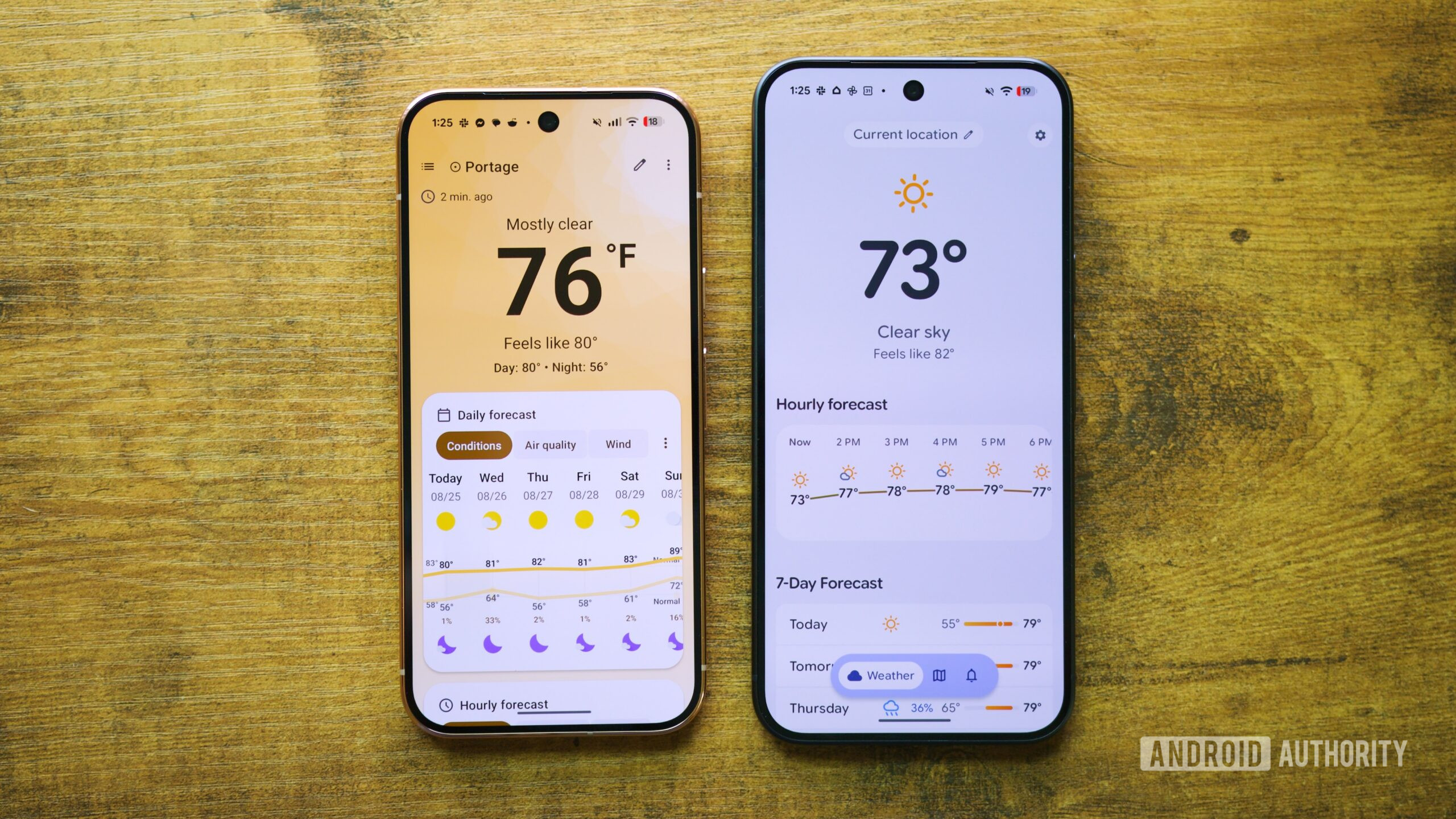
I’ll admit that for the last few years, I’ve been pretty lazy about testing new weather apps . I’ve almost exclusively used a combination of Samsung Weather or Pixel Weather alongside AccuWeather. Ready for something new, I decided to dive into the alternatives. What I was looking for was something that bridged the gap between the two services. That meant something easy to jump into, with a fair amount of customization, and a reputation for accuracy.
Ultimately, I found two apps that best fit what I was looking for, even though they took somewhat different approaches: Gradient Weather and Breezy Weather . While they both were a dream to use, neither was perfect, but one of these apps ended up winning me over a tad more than the other.
There’s a lot to like about the open-source Breezy Weather app, but its privacy-focused nature and customization options are probably at the top of the list. The app gives you a ton of data metrics to choose from, including common ones like the daily and hourly forecast, as well as options like Visibility, Pressure, Sun, and Moon.
You might wonder if too much data will result in a cluttered experience, but thankfully, the UI does a great job here. Not only is it easy to get the hang of — since all central data is pretty much in one spot — but it is also presented in a way that doesn’t feel overwhelming or bloated. Speaking of bloat, there are absolutely no ads, trackers, or other similar privacy offenders found in the Breezy App. There’s also no premium tier, as the app is 100% free.
Those looking for deeper control over their weather data source will be pleased to find they can choose from options such as NWS, AccuWeather, OpenWeather, and a handful of others. It’s not just data, either. You can even customize Breezy’s appearance with optional icon packs.
No matter how good a weather app is, we can’t forget about widgets. Breezy Weather does a great job here, with a clean, minimalist approach that will seem familiar if you’re coming from an app like Pixel Weather .
As much as I loved Breezy Weather, nothing is perfect. First, it’s important to note that it doesn’t exist on Google Play . You’ll need to install the app from GitHub or a place like F-Droid. Keep in mind that the F-Droid version only uses freenet standards, while the GitHub version has more weather sources and a few other small differences.
Read Full Story at Android Authority →