Password Breach Checker
Find out if your password appeared in a data breach — without sending it · free, no signup
See Password Breach Checker in action
Password Breach Checker — Has Your Password Been Leaked?
Billions of passwords have leaked in data breaches, and attackers try leaked passwords first. This tool checks a password against the Pwned Passwords database — hundreds of millions of real leaked passwords — and tells you how many times it has been seen. If it appears even once, it should never be used again.
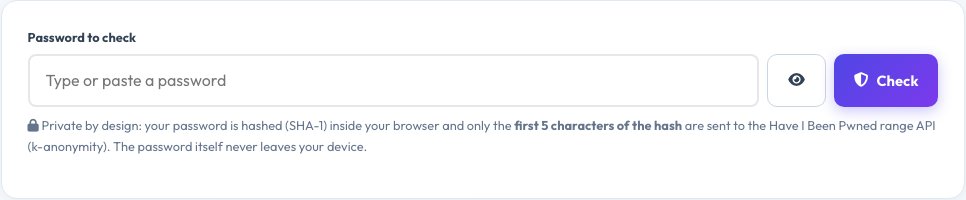
Your password stays private: it is hashed with SHA-1 inside your browser and only the first five characters of that hash are sent to the service, which returns every leaked hash starting with those characters; the match is done locally (a technique called k-anonymity). The page also estimates the strength of your password and how long an online or offline attack would take, and warns about common patterns.
Key features
Real breach data
Checks the Have I Been Pwned Pwned Passwords database.
k-anonymity privacy
Only five characters of a hash leave your device.
Strength analysis
Entropy, patterns and estimated crack times.
No storage
Nothing is saved, logged or sent to us.
How to use it
- Type or paste a password (use the eye button to show it).
- Click Check or press Enter.
- Read whether it was found and how many times.
- Review the strength analysis and change weak passwords.
Worked example
Example
“password123” → found over 2 million times in breaches → never use.
A random 16-character passphrase → not found and high entropy → good.
Who uses this tool
Everyone with online accounts
Test old passwords before an attacker does.
IT and security teams
Show staff why common passwords fail.
Password-manager users
Verify generated passwords are unique.
Tips for the best results
- Use a unique password for every site and a password manager.
- Prefer long passphrases of four or more random words.
- Turn on two-factor authentication everywhere.
- Change any password found in a breach right away.
Common mistakes to avoid
- Thinking “not found” means the password is strong — it may still be guessable.
- Reusing one password across many sites.
- Adding a number or symbol to a leaked password instead of replacing it.
Why use AZRS QuickFix?
It is 100% free, needs no signup and has no watermark or usage limits. The tool runs in your browser, so what you type stays on your device, and it works on phones, tablets and desktops. New tools are added every week — bookmark this page or browse the full QuickFix toolbox.
Frequently asked questions
Is it safe to type my password here?
Yes. It is hashed in your browser and only the first five characters of the hash are sent using k-anonymity. The full password and hash never leave your device. For maximum safety, check a variation instead of a live password.
How does k-anonymity work?
The service returns all leaked hashes that start with your 5-character prefix (hundreds of them). Your browser looks for your full hash in that list, so the service cannot tell which one, if any, is yours.
What if my password is found?
Stop using it everywhere and choose a new, unique password. A leaked password is known to attackers.
Where does the data come from?
The free Pwned Passwords service from Have I Been Pwned, built from real breaches.
What is entropy?
A measure of unpredictability in bits: every extra bit doubles the guesses needed. Above 60 bits is strong for most uses.
Do you store my passwords?
No. Nothing is logged, stored or sent to AZRS Corp.