Google Indexation Checker
Check if Your URLs are Indexed by Google
Bulk check up to 100 URLs instantly. Find out which pages are indexed and which aren't. Uses Google's site: operator for accurate results.
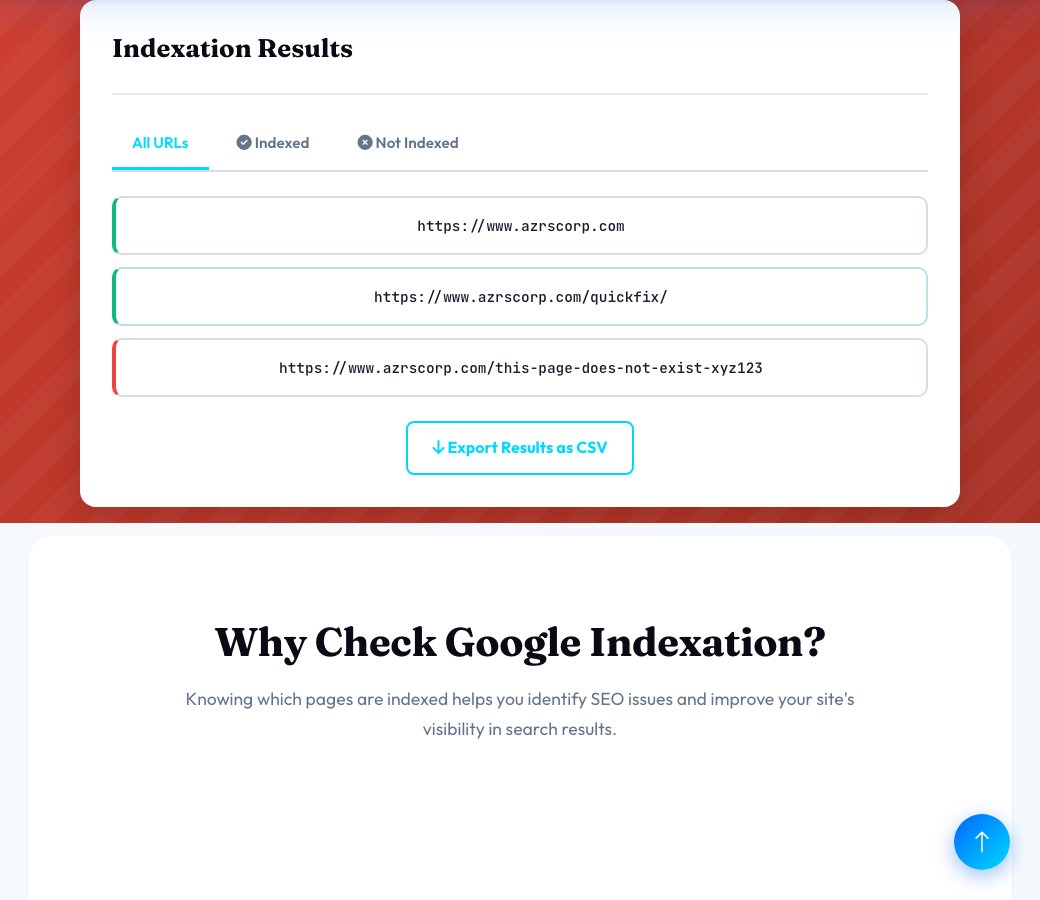
site:yoururl.com in Google Search or use Google Search Console.Indexation Results
Why Check Google Indexation?
Knowing which pages are indexed helps you identify SEO issues and improve your site's visibility in search results.
Find Indexation Issues
Quickly identify which pages Google hasn't indexed yet so you can fix technical SEO problems preventing crawling.
Bulk Check 100 URLs
Save time by checking up to 100 URLs at once instead of manually searching each one in Google.
Instant Results
Get real-time indexation status using Google's site: operator. See which pages are live in search results.
Export Reports
Download your results as CSV for easy sharing with your team or importing into other SEO tools.
Track New Content
Monitor whether your newly published pages get indexed by Google and how quickly they appear in search.
Debug SEO Problems
Identify patterns in non-indexed pages to discover robots.txt issues, noindex tags, or crawl errors.
How to Check Google Indexation
Google indexation is the process where Google discovers, crawls, and stores your web pages in its search index. If a page isn't indexed, it won't appear in Google search results.
Why Pages Don't Get Indexed
- Noindex tag: Your page has a noindex meta tag or X-Robots-Tag header telling Google not to index it.
- Robots.txt blocking: Your robots.txt file is preventing Googlebot from crawling the page.
- Low quality content: Google may choose not to index thin, duplicate, or low-value pages.
- New pages: Recently published pages may not be indexed yet - indexing can take hours to weeks.
- Technical errors: Server errors, redirects, or crawl issues prevent Google from accessing the page.
- No internal links: Pages with no internal links are "orphaned" and harder for Google to discover.
How This Tool Works
This checker uses Google's site: operator to verify indexation. When you search site:yoururl.com/page in Google, it shows whether that specific URL is in Google's index.
The tool automates this process by checking multiple URLs simultaneously and presenting the results in an easy-to-read format.
What to Do if Pages Aren't Indexed
1. Check robots.txt: Make sure your robots.txt file isn't blocking Googlebot. Use Google Search Console's robots.txt tester.
2. Remove noindex tags: Search your page source for noindex meta tags or HTTP headers and remove them if indexation is desired.
3. Submit to Google: Use Google Search Console to request indexing for important pages. Submit your sitemap as well.
4. Add internal links: Link to unindexed pages from other pages on your site to help Google discover them.
5. Improve content quality: Enhance thin pages with more comprehensive, valuable content to encourage indexation.
6. Fix technical errors: Resolve any server errors, broken redirects, or crawl issues preventing access to your pages.
How to Use This Tool Effectively
Actionable SEO advice to get the most out of every analysis
Start With Your Competitors
Run your top 3 competitors through this tool first. Understanding their structure, keywords, and technical issues reveals exactly where you can outrank them.
Run Monthly Audits
SEO is not a one-time task. Schedule monthly checks to catch new issues before Google penalizes them. Consistent analysis beats one big yearly audit every time.
Fix High-Impact Issues First
Not all errors are equal. Prioritize: broken crawl paths → missing meta titles → slow load times → thin content. This order maximizes ranking gains per hour spent.
Internal Links Are Free PageRank
Every internal link passes authority between your pages. Use the Internal Link Finder to ensure your most important pages receive the most internal links.
Page Speed Directly Affects Rankings
Google's Core Web Vitals are a confirmed ranking factor. Pages loading under 2.5 seconds see significantly higher rankings and 40% lower bounce rates than slow pages.
Keep Your Sitemap Clean
Your sitemap tells Google what to index. Remove redirect chains, 404s, and noindex pages from it. A clean sitemap = faster, more complete indexation of good content.
More Free SEO Tools
Everything you need to dominate search rankings — all free, no signup required
🔍 SEO & Website Analysis
🧮 Free Calculators
⚙️ Developer & Utility Tools
See Google Indexation Checker — Bulk URL Accessibility Check in action
Google Indexation Checker — Bulk URL Accessibility Check
Paste up to 100 URLs and this tool checks each one live to confirm whether it's actually accessible — reachable and returning a real HTTP 200 response — flagging any that are broken, blocked, redirecting unexpectedly, or otherwise not resolving the way a healthy, indexable page should.
To be exact about what this checks: it verifies URL accessibility (the page loads and returns 200 OK), which is a necessary condition for Google to index a page — it does not query Google's Search Console index directly, so a URL passing this check is confirmed live and reachable, not confirmed as actually present in Google's index. That distinction is stated here plainly rather than implied.
Key features
Bulk checking, up to 100 URLs
Check an entire batch of URLs in one run instead of testing them one at a time.
Real live HTTP checks
Each URL is actually requested, not just pattern-matched or guessed.
Clear accessible/not-accessible counts
Instant totals so you can see the overall health of a URL list at a glance.
Per-URL results table
See exactly which specific URLs failed, not just an aggregate number.
How to use it
- Paste your list of URLs (up to 100).
- Run the check and let it verify each URL live.
- Review the accessible vs not-accessible counts.
- Investigate and fix each flagged URL — check for broken links, server errors or unexpected redirects.
Worked example
Example
Checking 40 blog post URLs finds 3 returning a 404 and 1 redirecting to an unrelated page — all flagged immediately instead of being discovered one broken link report at a time.
Who uses this tool
Site owners auditing after a migration
Confirm every important URL from the old site structure still resolves correctly on the new one.
SEO specialists doing a URL health sweep
Batch-check a sitemap's worth of URLs for accessibility issues in one pass.
Content teams managing large URL lists
Verify a list of URLs pulled from analytics or a spreadsheet before reporting on them.
Tips for the best results
- Check your XML sitemap's URLs periodically — those are the ones you're explicitly telling Google to consider indexing.
- Investigate any unexpected redirect result, not just outright 404s — a redirect to the wrong page is just as much of a problem.
- For actual Google index status (not just accessibility), pair this with Google Search Console's own Index Coverage report.
- Re-check after fixing flagged URLs to confirm they now resolve correctly.
Common mistakes to avoid
- Assuming a URL passing this check means it's confirmed indexed by Google — it confirms the URL is live and accessible, which is necessary but not sufficient for indexing.
- Checking URLs from an old sitemap that no longer reflects your current site structure.
- Ignoring unexpected redirects because the request still eventually returns 200 somewhere.
Why use AZRS QuickFix?
It is 100% free, needs no signup and has no watermark or usage limits. The tool runs in your browser, so what you type stays on your device, and it works on phones, tablets and desktops. New tools are added every week — bookmark this page or browse the full QuickFix toolbox.
Frequently asked questions
Does this check real Google index status?
No — it checks whether each URL is live and accessible (returns HTTP 200), which is a requirement for indexing but not the same as confirming Google has the page in its index. For true index status, use Google Search Console's URL Inspection tool.
How many URLs can I check at once?
Up to 100 URLs per batch.
Why would a URL fail this check?
It might return a 404, a server error, an unexpected redirect, or simply time out — each of these also tends to prevent proper indexing.
How long does Google actually take to index a new page?
Typically days to weeks; submitting the URL via Google Search Console's URL Inspection tool can speed this up.
Can I check subdomains and different domains in the same batch?
Yes, paste any mix of full URLs and each is checked independently.
Is this free?
Yes, free with no signup required.