Invoice Generator
Create and print a professional invoice · free, no signup
| Description | Qty | Unit price | Amount |
|---|
See Invoice Generator in action
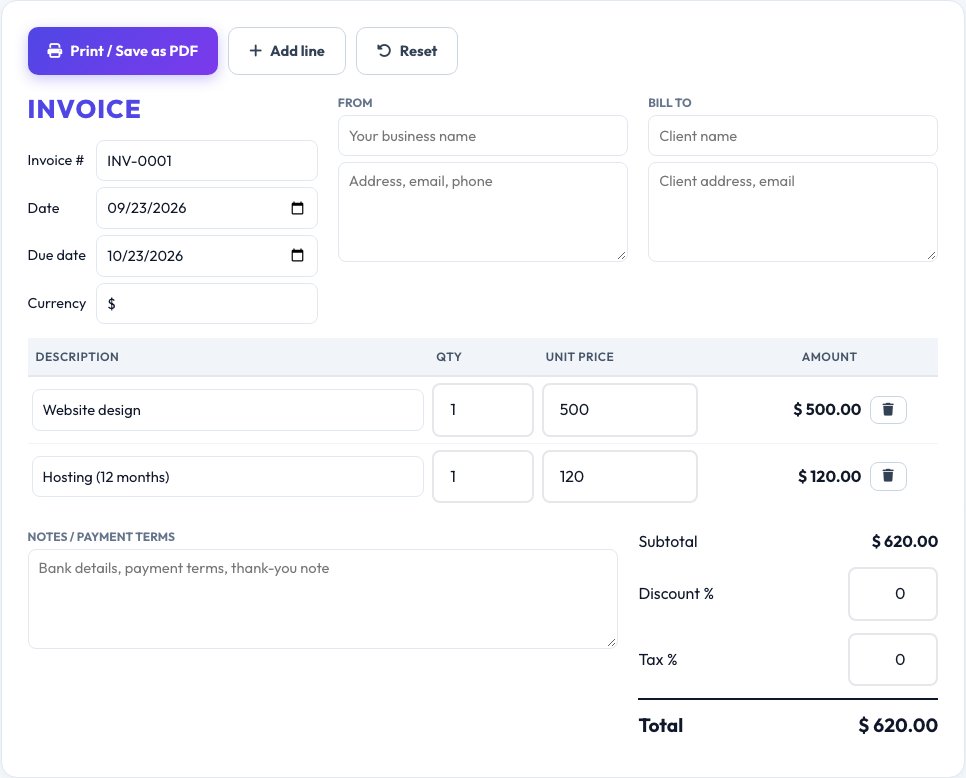
Free Online Invoice Generator
Freelancers and small businesses need a clean invoice quickly. Enter your details and your client's, add line items with quantity and price, apply tax and discount, and the totals are calculated for you.
When you are ready, print the invoice or save it as a PDF from your browser. Your information is stored only on your own device, and there is no account or watermark.
Key features
Automatic totals
Subtotal, tax, discount and total.
Print or PDF
Use your browser's print dialog.
Multiple currencies
Choose the symbol you need.
Private
Nothing is uploaded.
How to use it
- Fill in your business and client details.
- Add line items.
- Set tax and discount.
- Click Print / Save PDF.
Worked example
Example
2 × Design work @ 250 = 500
1 × Hosting @ 120 = 120
Subtotal 620 · Discount 10% · Tax 10% → Total 613.80
Who uses this tool
Freelancers and contractors
Bill clients quickly and professionally.
Small businesses
Issue clean invoices without paid software.
Students and side-hustlers
Send a first invoice with confidence.
Tips for the best results
- Give every invoice a unique number and a due date.
- State payment terms and accepted payment methods.
- Include your tax or VAT number where required.
- Save a PDF copy of each invoice for your records.
Common mistakes to avoid
- Leaving out the due date or payment terms.
- Forgetting to apply tax or discount to the right lines.
- Using inconsistent invoice numbers.
Why use AZRS QuickFix?
It is 100% free, needs no signup and has no watermark or usage limits. The tool runs in your browser, so what you type stays on your device, and it works on phones, tablets and desktops. New tools are added every week — bookmark this page or browse the full QuickFix toolbox.
Frequently asked questions
Is the invoice generator free?
Yes, with no watermark and no signup.
Can I save the invoice as a PDF?
Yes. Choose Save as PDF in the print dialog.
What should an invoice include?
Invoice number, dates, seller and buyer details, itemised charges, totals and payment terms.
Is my data stored?
Only in your own browser, so it is not sent to any server.
Can I add a logo?
You can print or save the invoice as a PDF and place your logo in your business details text.
Is my invoice data saved?
Only in your own browser, so it never reaches our servers.