Free AI Text Summarizer
Powered by Groq Llama AI — summarize, then chat with your content.
See Free AI Text Summarizer in action
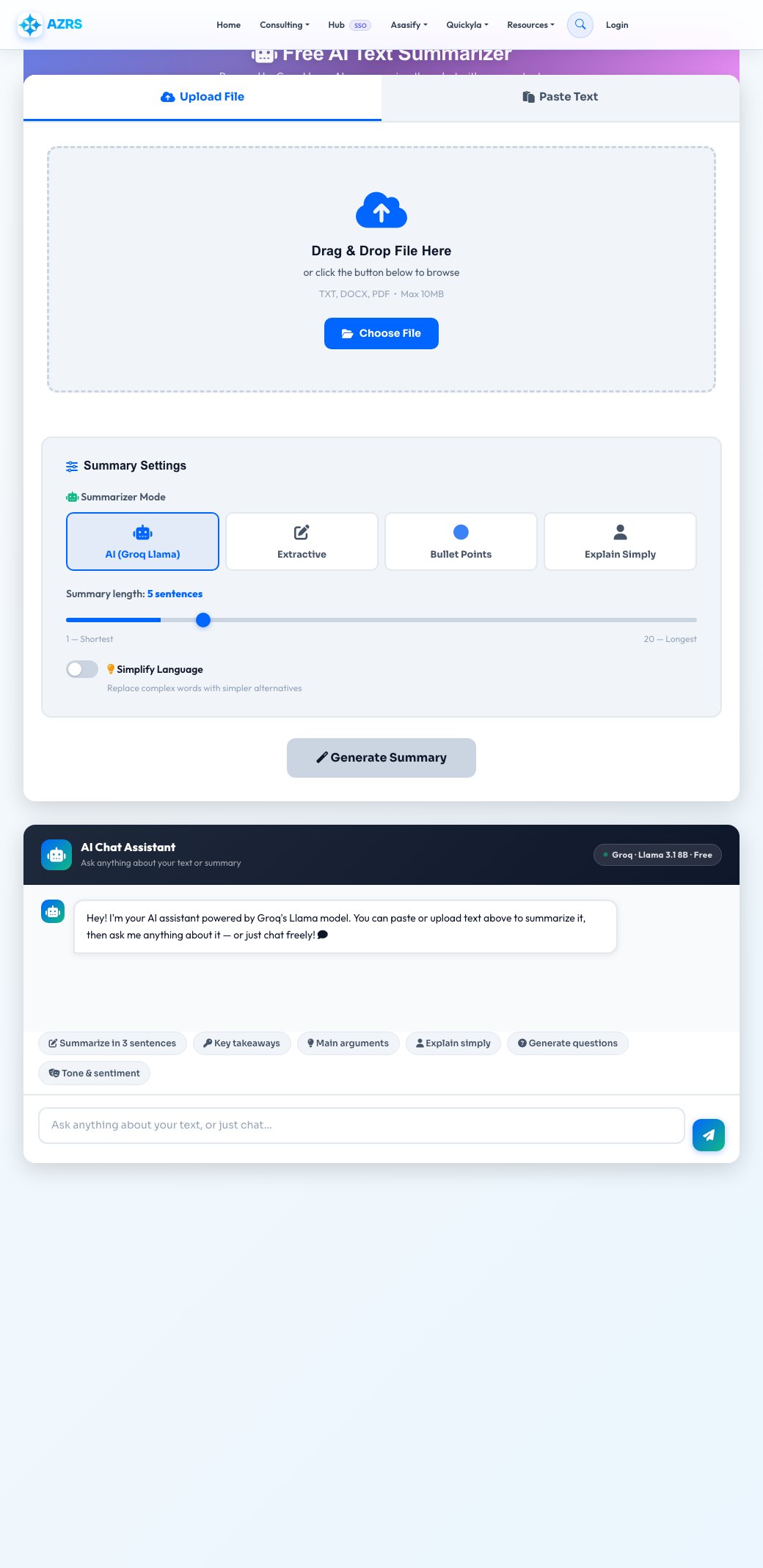
Free AI Text Summarizer
Paste text or upload a TXT, DOCX or PDF file (up to 10 MB) and get a concise summary in seconds. Choose from four modes: a fluent AI-written summary, a bullet-point list, an ELI5 ("explain like I'm 5") plain-language version, or an extractive summary that pulls the most important original sentences rather than rewriting them.
After summarizing, you can keep chatting with the AI about the source text — ask for the main arguments, request simpler wording, generate quiz questions, or check the overall tone — with the original content kept as context for the conversation.
Key features
4 summary modes
AI-written, bullet points, ELI5 plain-language, or extractive (original sentences only).
File upload support
Upload a TXT, DOCX or PDF up to 10 MB and the text is extracted automatically.
Adjustable length
Set roughly how many sentences or bullet points you want in the result.
Chat about your text
Ask follow-up questions about the source content after summarizing, with the AI keeping full context.
How to use it
- Paste your text or upload a TXT, DOCX or PDF file.
- Pick a summary mode: AI, bullet points, ELI5 or extractive.
- Adjust the length slider and toggle Simplify if you want plainer language.
- Get your summary, then copy, download, or ask the chat follow-up questions.
Worked example
Example
A 4-paragraph article on AI adoption in business, summarized to 2 sentences: "Artificial intelligence is reshaping industries by automating tasks, enhancing decision-making, and personalizing customer experiences, but its swift adoption raises job displacement, data privacy, and regulatory concerns. In response, governments and businesses are collaborating to develop frameworks that balance innovation with responsible AI use."
Who uses this tool
Students & researchers
Quickly digest long papers or articles before deciding what's worth reading in full.
Professionals
Summarize long reports, emails or meeting notes into a few key bullet points.
Content creators
Turn long-form content into short-form summaries for social captions or newsletters.
Tips for the best results
- Use the AI mode for a naturally worded summary and the extractive mode when you need the original author's exact phrasing preserved.
- The ELI5 mode is useful for explaining technical documents to a non-expert audience.
- Increase the summary length for dense, information-heavy source text so key points aren't dropped.
- Use the chat feature after summarizing to dig into specific sections rather than re-reading the whole source.
Common mistakes to avoid
- Relying on a very short summary for legal, medical or safety-critical text — always verify against the full source for anything consequential.
- Uploading scanned image-only PDFs and expecting text extraction to work — this tool reads text layers, not OCR on images.
- Setting the length too short for a long, multi-topic document, which forces the summary to drop entire sections.
Why use AZRS QuickFix?
It is 100% free, needs no signup and has no watermark or usage limits. The tool runs in your browser, so what you type stays on your device, and it works on phones, tablets and desktops. New tools are added every week — bookmark this page or browse the full QuickFix toolbox.
Frequently asked questions
Is the summarizer free?
Yes, completely free with no signup required.
What's the difference between the summary modes?
AI generates fluent new wording; extractive selects and returns the most important original sentences; bullet points formats it as a list; ELI5 rewrites it in very simple language.
What file formats are supported?
TXT, DOCX and PDF files up to 10 MB — text is extracted automatically.
Is my text stored or shared?
No, text is processed to generate the summary and is not stored, logged, or shared with third parties.
How does the chat feature work?
After generating a summary, you can ask follow-up questions and the AI answers using your original text as context.
Can I adjust how long the summary is?
Yes, use the length slider to request roughly how many sentences or bullet points you want.