Remove Duplicate Lines & Sort Text
Dedupe, sort, trim and reverse lines · free, no signup
See Remove Duplicate Lines & Sort Text in action
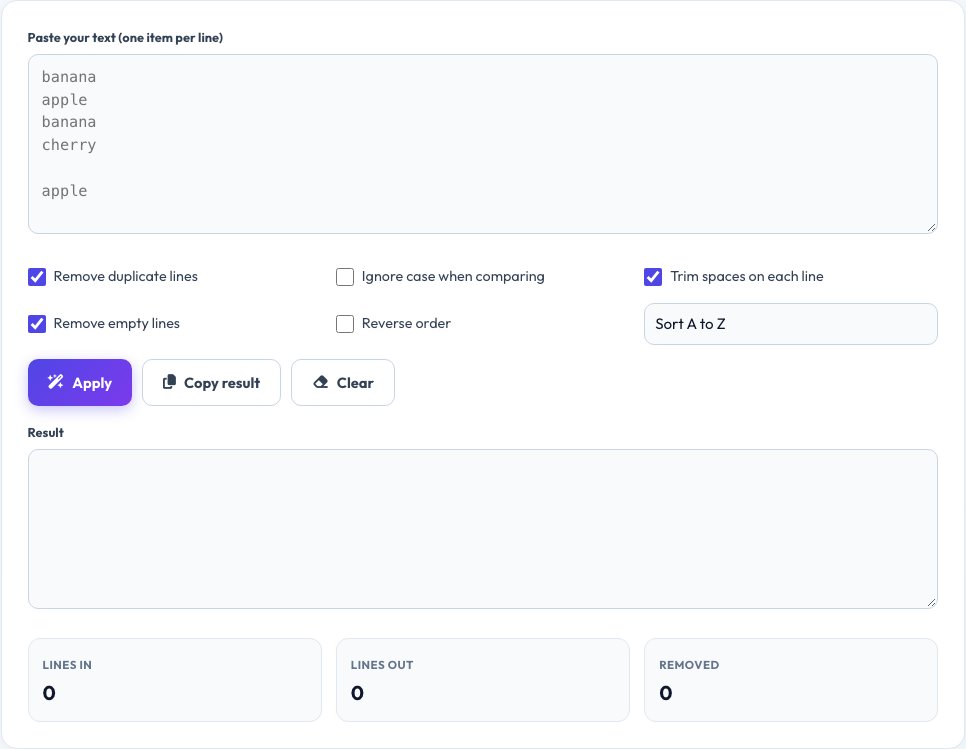
Free Duplicate Line Remover & Text Sorter
Cleaning a list by hand is tedious. Paste your text and this tool removes duplicate lines, sorts them A to Z or Z to A, sorts by length, reverses the order, trims extra spaces and deletes blank lines.
It is handy for email lists, keyword lists, log files, CSV columns and anything else with one item per line. Everything runs in your browser, so private data stays private.
Key features
Remove duplicates
Case-sensitive or case-insensitive.
Sort your way
Alphabetical, reverse or by line length.
Clean up
Trim spaces and delete empty lines.
See the savings
Shows how many lines were removed.
How to use it
- Paste your list, one item per line.
- Choose the options you need.
- Click Apply.
- Copy the cleaned result.
Worked example
Example
Input:
banana
apple
banana
cherry
Apple

Sorted A–Z, duplicates removed (ignore case):
apple
banana
cherry
Who uses this tool
Marketers and SEO teams
Clean keyword and email lists.
Developers and analysts
De-duplicate IDs, URLs and log lines.
Students and writers
Sort reference lists and bibliographies.
Tips for the best results
- Turn on case-insensitive matching to catch “Apple” and “apple”.
- Trim spaces first so lines that differ only by whitespace are merged.
- Use “Reverse order” to flip a list, or “Numeric” to sort numbers correctly.
- Combine trimming with “Remove empty lines” for the cleanest list.
Common mistakes to avoid
- Forgetting that lines differing by a space are different.
- Sorting numbers as text (10 comes before 2).
- Pasting a list with mixed line endings from spreadsheets.
Why use AZRS QuickFix?
It is 100% free, needs no signup and has no watermark or usage limits. The tool runs in your browser, so what you type stays on your device, and it works on phones, tablets and desktops. New tools are added every week — bookmark this page or browse the full QuickFix toolbox.
Frequently asked questions
Does it keep the first or last duplicate?
It keeps the first occurrence and removes later ones.
Is sorting case-sensitive?
You can choose. By default it ignores case.
Is there a size limit?
It handles very large lists, limited only by your browser memory.
Is my text uploaded?
No. All processing happens locally in your browser.
Can it sort numerically?
Choose the numeric option so 2 comes before 10.