Aspect Ratio Calculator
Find a ratio and resize images or videos correctly · free, no signup
How Aspect Ratio Calculator works, step by step
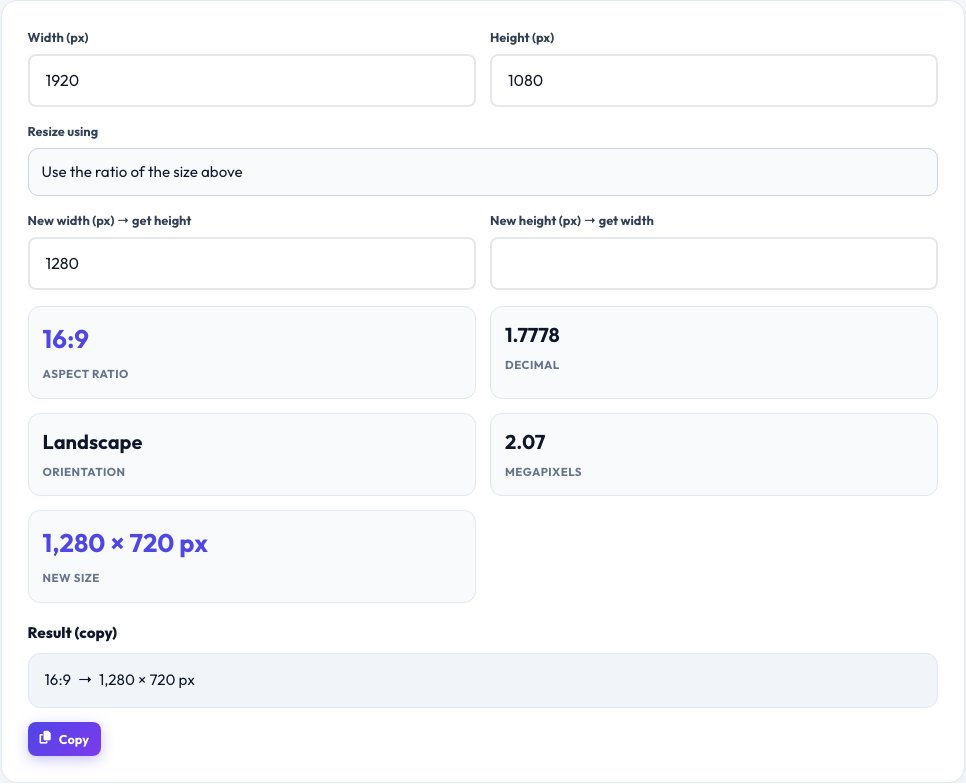
Enter the original width and height.
 Download it
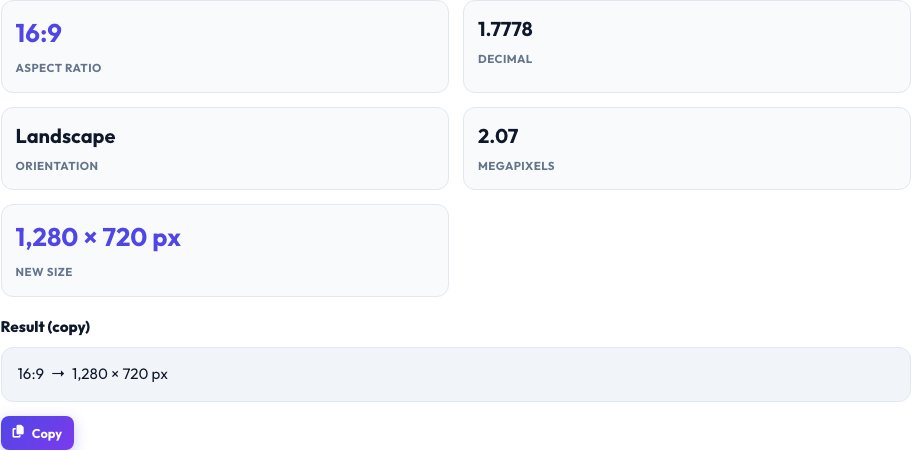
Read the aspect ratio.
Free Aspect Ratio Calculator — Keep Proportions When You Resize
The aspect ratio of an image, video or screen is the proportional relationship between its width and height, written like 16:9. When you resize without preserving the ratio the picture stretches or squashes. This calculator finds the simplified ratio of any dimensions and works out the missing side when you change one.
Enter a width and height to see the ratio and its decimal value, then type a new width or height to get the matching dimension. One-click presets cover the most common formats — 16:9 widescreen, 4:3, 1:1 square, 9:16 vertical video, 3:2 photos and 21:9 ultrawide — for designers, video editors, developers and social media creators.
Key features
Simplified ratio
1920×1080 becomes 16:9 automatically.
Resize with proportion
Type one new dimension to get the other.
Common presets
16:9, 4:3, 1:1, 9:16, 3:2 and 21:9.
Fits any use
Images, video, screens, canvas sizes and print.
How to use it
- Enter the original width and height.
- Read the aspect ratio.
- Type a new width or height to get the matching size.
- Or pick a preset ratio and enter one side.
Worked example
Example
1920 × 1080 → ratio 16:9 (1.778)
New width 1280 → new height 720
Preset 9:16, width 1080 → height 1920
Who uses this tool
Video editors and creators
Export for YouTube, TikTok and Instagram without black bars.
Web designers and developers
Set responsive image and embed dimensions.
Photographers and printers
Plan crops for common print sizes.
Tips for the best results
- YouTube uses 16:9; Stories and Reels use 9:16.
- Round to whole pixels and adjust by one if needed.
- Crop instead of stretching if the ratio must change.
- Keep the original file so you can re-export.
Common mistakes to avoid
- Resizing width and height independently, which distorts the image.
- Confusing 16:10 laptop screens with 16:9 video.
- Forgetting to use whole numbers of pixels.
Why use AZRS QuickFix?
It is 100% free, needs no signup and has no watermark or usage limits. The tool runs in your browser, so what you type stays on your device, and it works on phones, tablets and desktops. New tools are added every week — bookmark this page or browse the full QuickFix toolbox.
Frequently asked questions
What is the aspect ratio of 1920×1080?
16:9.
How do I resize an image without stretching?
Keep the same ratio: multiply or divide both sides by the same factor.
What is the 4:3 ratio used for?
Older TVs and monitors, and many tablets and photos.
What ratio is vertical video?
9:16.
Can I use decimals?
Yes, but whole pixel values are recommended.
Is it free?
Yes.