
Meet the AI Grammar Fixer
Fix grammar errors and see why they were wrong. Free AI study helper from AZRS AI: pick a subject and level, add your topic and press Generate.
- Free to use
- No signup
- Nothing to install
- Works in any modern browser
Illustration. Open the tool for the real thing.
See it in action
Sample input: Search chats… = She dont likes apples and go to sch...; e.g., Biology, Calculus, History = She dont likes apples and go to sch...; Paste your study material, homework problem, or describe the = She dont likes apples and go to sch.... Pressed Fix Grammar.
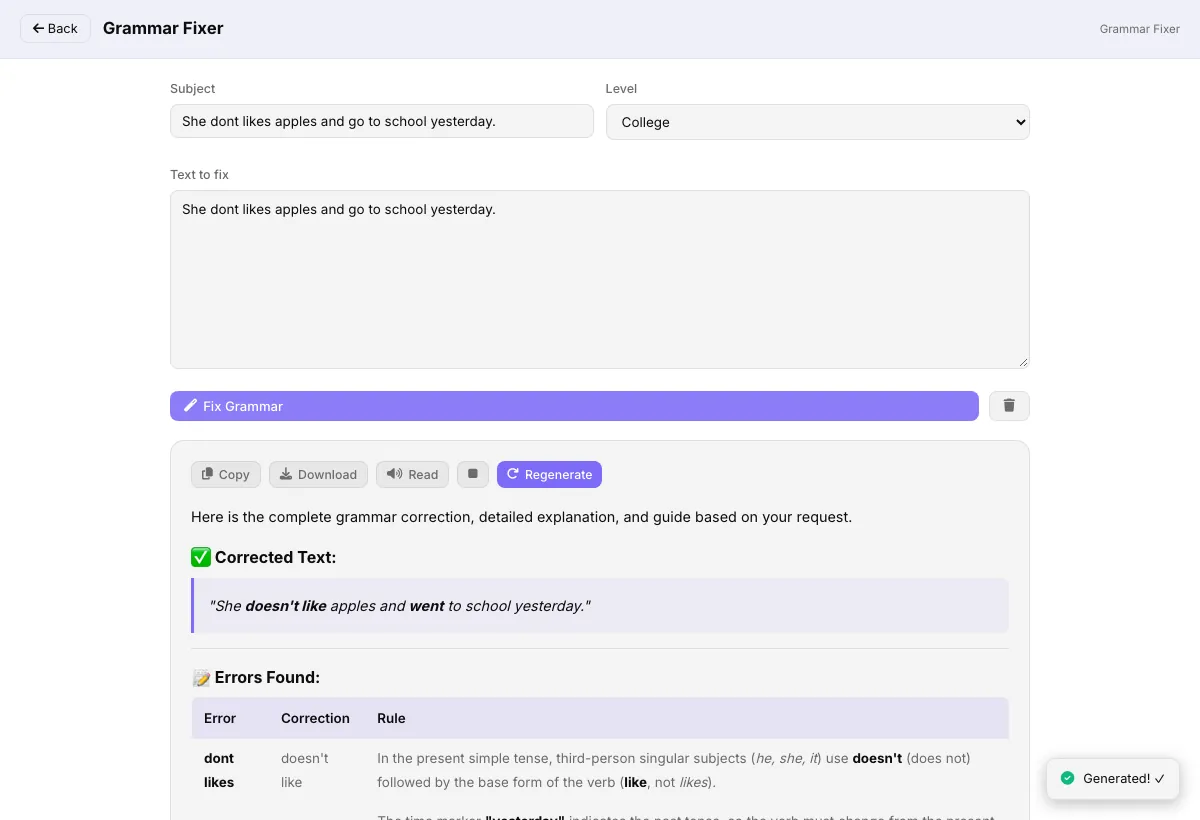
What is the AI Grammar Fixer?
Fix grammar errors and see why they were wrong. It is one of the single-purpose study helpers in AZRS AI Student Tools: you choose a subject and level, add your topic and press Generate.
The answer is written by an AI model, so treat it as a study aid and check key facts yourself.
3 steps to your result
Open the tool and follow along. Nothing to install.
What you get
Set the subject and level so the answer fits what you are studying.
Each student tool does one task, so the result stays focused.
The page is free to open and states that no login is required.
Nothing to install; use it on a phone or a computer.
AZRS tools are free to open and use.
It opens in your browser, so there is nothing to download.
Used for
Pick one to see how it fits.
How it compares
A plain look at this tool next to the usual alternative.
| This ai tool | Desktop software | |
|---|---|---|
| Install | Nothing to install | Usually an app or program to install |
| Account | No signup | Depends on the product |
| Cost | Free to use | Free or paid, depends on the product |
Questions people ask
Can the AI be wrong?
Yes. AI answers can contain mistakes. Check important facts, numbers and citations against a trusted source.
Do I need an account?
The page states that no login is required.
How do I use the AI Grammar Fixer?
1. Open the tool and pick a Subject and a Level. 2. Type your topic, text or question in the Content / Topic / Question box. 3. Press Generate and read the answer. Copy what you need.
Any tips for good results?
Be specific about the topic and level you need.
What mistakes should I avoid?
Trusting every fact without checking it.
More free tools
Related to the AI Grammar Fixer.