Diceware Passphrase Generator
Generate a long, truly random, memorable passphrase from real dice-equivalent word selection · free, no signup
How Diceware Passphrase Generator works, step by step
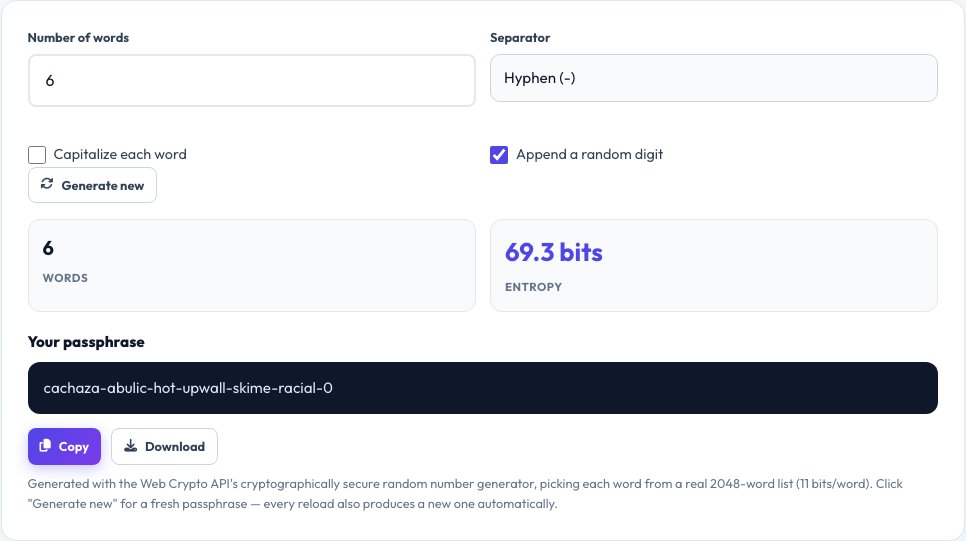
Choose how many words you want (5-6 recommended for most uses).
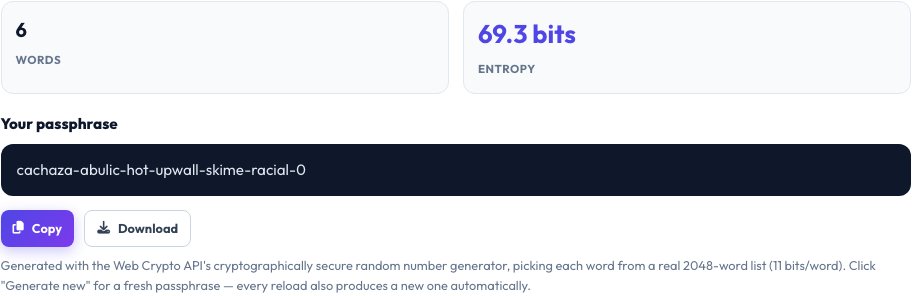 Download it
Choose a separator character, like a hyphen or space.
Free Diceware Passphrase Generator — Random Words, Real Entropy
Diceware is a method for generating passphrases by rolling physical dice to randomly pick words from a fixed, published wordlist — originally created by Arnold Reinhold in 1995, and the same underlying idea behind the well-known "correct horse battery staple" style of password advice. This tool does the same thing digitally: it uses your browser's cryptographically secure random number generator (not a weaker predictable one) to pick each word, so the result has real, calculable entropy rather than being pattern-based like a typical human-invented passphrase.
Choose how many words you want (5 or 6 words is a strong, commonly recommended range) and the tool shows you the exact entropy in bits alongside the passphrase, so you can see precisely how strong it is rather than guessing. Because it's made of real dictionary words rather than random characters, a Diceware passphrase is genuinely easier to memorize and type accurately than an equivalent-strength string like `xQ7$mK9#vL2!`.
Key features
Cryptographically secure randomness
Uses the browser's crypto API, not a weaker Math.random()-based generator, for real unpredictability.
Exact entropy shown
See the precise bits of entropy for your chosen word count, not a vague strength label.
Real Diceware wordlist
Words are picked from an actual large word list, the same method security professionals recommend.
Adjustable word count and separator
Choose 4-8 words and a separator character to fit different password rules.
How to use it
- Choose how many words you want (5-6 recommended for most uses).
- Choose a separator character, like a hyphen or space.
- Click Generate.
- Copy the passphrase — regenerate any time for a new one.
Worked example
Example
6 words -> correct-horse-battery-staple-plasma-window (about 77 bits of entropy with this wordlist size) — genuinely stronger than most 12-character random-character passwords, and considerably easier to type and remember.
Who uses this tool
Anyone setting up a password manager's master password
The one password you actually have to memorize benefits most from being both strong and rememberable.
People choosing a WiFi or device encryption passphrase
Something typed occasionally by hand needs to be memorable, not just random.
Security-conscious users replacing weak reused passwords
Get real, measurable entropy instead of a password based on a predictable pattern.
Tips for the best results
- 5-6 words is the generally recommended range for a strong standalone passphrase; add more words for anything protecting especially high-value data.
- Keep the separator consistent so you remember exactly how you typed it, but changing separator style doesn't meaningfully change the real strength — the word count does.
- A passphrase is only as secure as where you store it — write it down somewhere safe if needed rather than reusing it insecurely elsewhere.
- Don't reorder or edit the generated words to "make it easier" — any predictable pattern you add back in reduces the real randomness.
Common mistakes to avoid
- Assuming any 4 random words are automatically strong — entropy depends on both the word count and the size of the wordlist it's drawn from, which is why this tool shows the exact bit count.
- Reusing the same generated passphrase across multiple accounts, which defeats the purpose even if the passphrase itself is strong.
- Manually tweaking or shortening a generated passphrase to make it "easier", which can quietly reduce its real randomness.
Why use AZRS QuickFix?
It is 100% free, needs no signup and has no watermark or usage limits. The tool runs in your browser, so what you type stays on your device, and it works on phones, tablets and desktops. New tools are added every week — bookmark this page or browse the full QuickFix toolbox.
Frequently asked questions
What is Diceware?
A method invented by Arnold Reinhold that generates passphrases by using dice rolls to randomly select words from a large published wordlist — this tool replicates that using a cryptographically secure digital random number generator instead of physical dice.
How many words should I use?
5-6 words is a commonly recommended range for a strong standalone passphrase; more words add more entropy for higher-security needs.
Is this actually more secure than a short complex password?
A multi-word Diceware passphrase typically has more real entropy than a short password packed with symbols, while being much easier to type and remember correctly.
Does it use real randomness?
Yes — it uses the Web Crypto API's cryptographically secure random number generator, not JavaScript's weaker default Math.random().
Is the generated passphrase stored or sent anywhere?
No, it's generated and shown entirely in your browser and never transmitted.
Is this free?
Yes, generate as many passphrases as you like at no cost.