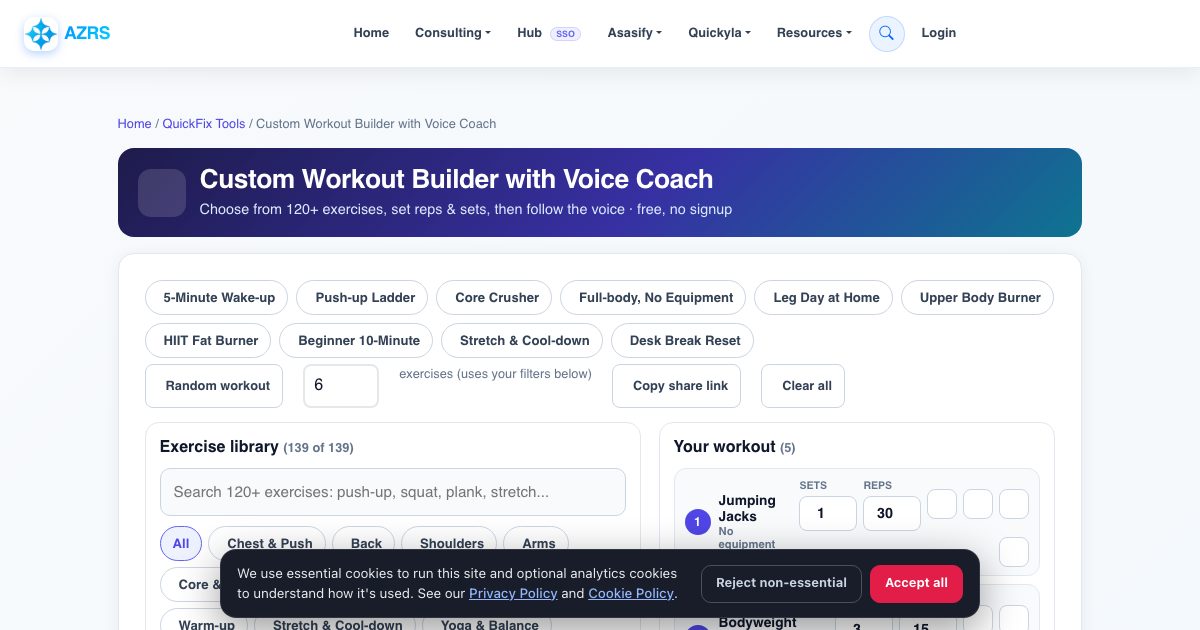
Custom Workout Builder with Voice Coach
Choose from 120+ exercises, set reps & sets, then follow the voice · free, no signup
Exercise library
Your workout
Workout settings
Voice coach settings (voice, speed, volume)
See Custom Workout Builder with Voice Coach in action
Free Custom Workout Builder with a Voice Coach
Most workout timers only count down seconds. This one is a full personal trainer in your browser: pick exactly the exercises you want from a library of more than 120 (push-ups, squats, lunges, planks, burpees, yoga poses, stretches and more), choose the sets and the reps or seconds for each one, put them in your order, and press Start. A voice announces each exercise, counts every rep (Down, Up, one), calls out the seconds on holds like planks, tells you when to switch sides and runs the rest between sets.
You can start from ten ready-made workouts such as the 5-Minute Wake-up, Push-up Ladder, Core Crusher or Stretch and Cool-down, build one from scratch, or tap the dice for a random workout that respects your filters (bodyweight only, one muscle group, specific equipment). It estimates total time and calories before you start, saves your workout in your browser and lets you copy a share link so a friend gets the exact same plan.
Key features
120+ exercises in 12 groups
Chest, back, shoulders, arms, core, legs, glutes, cardio, full body, warm-up, stretch and yoga.
You choose the numbers
Set the sets and the reps or seconds for each exercise, reorder, duplicate or remove.
Talking coach for everything
Announces each exercise, counts reps, calls halfway and last-ten-seconds, and says when to switch sides.
Rest timers built in
Separate rest between sets and between exercises, with +15 seconds and skip buttons.
Filters that fit your space
Bodyweight only, or pick a chair, dumbbells, pull-up bar, wall, mat, band or rope.
Ready-made and random workouts
Ten templates plus a random generator.
Estimated time and calories
Updated live as you build.
Share link and auto-save
Your plan is saved on your device and can be shared with one link.
How to use it
- Click exercises in the library to add them, or load a ready-made workout.
- In 'Your workout' set the sets and the reps (or seconds) for each one and drag them into order with the arrows.
- Open the settings to choose rest times, rep speed and your voice.
- Press START WORKOUT. A full-screen coach opens and begins the countdown.
- Follow the voice. Pause, skip, go back, add 15 seconds of rest or stop whenever you like.
Worked example
Example
Load 'Full-body, No Equipment', change squats to 20 reps, remove the lunges and press Start. The coach says 'Let's go! Jumping Jacks, 1 set of 30 reps', counts them out, announces rest, then moves to squats: 'Down, Up, one'.
Who uses this tool
People training at home
A complete guided session with no equipment and no app.
Beginners
Build a short, easy plan and let the voice keep you on pace.
Personal trainers and coaches
Build a plan and send clients the share link.
Anyone with a desk job
Load the 'Desk Break Reset' stretch routine for five minutes.
Teachers and group leaders
Run a whole class through a workout from one screen.
Tips for the best results
- Start with a warm-up exercise and finish with a stretch. The random generator can add them for you.
- For your first week choose fewer sets (2 to 3) and rest 45 to 60 seconds.
- Use Slow rep speed for strength and Fast for cardio-style work.
- Keep the tab open and the screen on, and place your phone where you can hear it.
Common mistakes to avoid
- Packing in too many exercises on day one. Quality reps matter more than a long list.
- Skipping the warm-up and going straight to jump exercises.
- Ignoring pain. Replace the exercise with an easier one instead of pushing through.
Why use AZRS QuickFix?
It is 100% free, needs no signup and has no watermark or usage limits. The tool runs in your browser, so what you type stays on your device, and it works on phones, tablets and desktops. New tools are added every week — bookmark this page or browse the full QuickFix toolbox.
Frequently asked questions
How many exercises are there?
More than 120, covering every main muscle group plus warm-ups, stretches and yoga poses, and the library keeps growing.
Does it work without equipment?
Yes. Tick 'Bodyweight only' and every exercise shown needs nothing but a mat or floor.
How does it count reps?
It paces and counts on a timer using your chosen rep speed, calling each rep out loud. It does not use a camera.
Can I choose how many reps or seconds?
Yes. Every exercise has its own sets and reps (or seconds) you can edit, and the total time updates instantly.
Can I share or save my workout?
Your workout saves automatically in your browser, and 'Copy share link' creates a URL that opens the same plan on any device.
Is the calorie number accurate?
It is a rough estimate based on standard MET values, your body weight and active time, so use it as a guide only.
Is it free?
Yes, completely free with no signup, and nothing leaves your device.