20-20-20 Eye Break Timer
A screen-break timer that follows the 20-20-20 rule for eye strain · free, no signup
See 20-20-20 Eye Break Timer in action
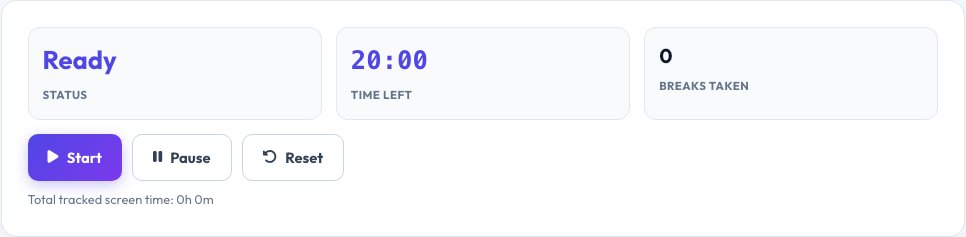
Free 20-20-20 Eye Break Timer
Staring at a screen for long stretches causes digital eye strain — dryness, blurred vision and headaches. Eye-care professionals recommend the 20-20-20 rule: every 20 minutes, look at something about 20 feet (6 metres) away for at least 20 seconds. This timer runs in the background of a browser tab, plays a gentle sound and shows a full-screen reminder when it is time to look away, then a matching 20-second countdown for the break itself.
A running total shows how long you have been working and how many breaks you have taken, which is useful for noticing just how long an uninterrupted session has run. It keeps working while the tab is in the background, and you can pause it any time — for example during a video call.
Key features
20-20-20 cycle
20-minute work timer, 20-second look-away break.
Full-screen reminder
Hard to miss, with a sound alert.
Session stats
Total screen time and breaks taken.
Pause and resume
Stop it for meetings without losing your session.
How to use it
- Click Start to begin the 20-minute cycle.
- Keep working — the timer runs in the background.
- When it alerts, look at something 20 feet away for 20 seconds.
- It resets automatically and starts the next cycle.
Worked example
Example
After 2 hours 40 minutes at the screen → 8 breaks taken, following the 20-20-20 rule throughout a work session.
Who uses this tool
Office and remote workers
Reduce eye strain from long screen sessions.
Students
Take structured breaks during long study or reading sessions.
Gamers and designers
A reminder that is easy to ignore without a prompt like this.
Tips for the best results
- Actually look at a distant object, not just away from the screen — focusing distance is what relaxes the eye muscles.
- Blink deliberately during the break; screens reduce your natural blink rate.
- Combine with the 20 minutes with good lighting and a screen roughly at eye level.
- If eye strain continues despite regular breaks, see an optometrist.
Common mistakes to avoid
- Dismissing the reminder without actually looking away.
- Running the timer muted with no visual cue, then missing every alert.
- Ignoring persistent eye strain instead of getting it checked.
Why use AZRS QuickFix?
It is 100% free, needs no signup and has no watermark or usage limits. The tool runs in your browser, so what you type stays on your device, and it works on phones, tablets and desktops. New tools are added every week — bookmark this page or browse the full QuickFix toolbox.
Frequently asked questions
What is the 20-20-20 rule?
Every 20 minutes, look at something about 20 feet away for 20 seconds, to relax the eye's focusing muscles.
Does this really reduce eye strain?
Regular breaks are one of the most recommended ways to reduce digital eye strain; results vary by person, and good lighting and screen distance also help.
Will the timer work if I switch tabs?
Yes, it keeps timing in the background and will still alert you, using the tab title and a sound.
Can I change the interval?
The tool follows the standard 20-minute / 20-second rule; use the pause button for longer uninterrupted stretches.
Is any data collected?
No. The timer and its stats exist only in your browser tab and reset when you close it.
Is this a medical device?
No, it is a simple reminder tool, not medical advice — see an eye-care professional for persistent symptoms.