Laser Power/Speed Test Grid, Kerf Test & Material Safety Guide
Generate GRBL G-code test grids, kerf/fit test files and read which materials are safe to laser · free, no signup
See Laser Power/Speed Test Grid, Kerf Test & Material Safety Guide in action
Free Laser Power/Speed Test Grid & Kerf Test Generator
Every laser, material and lens combination needs its own power and speed — and the fastest way to find them is a test grid. This generator creates a matrix of squares in which each row has a different power and each column a different speed, as ready-to-run GRBL G-code (M4 dynamic or M3 constant power, with your spindle maximum) for engraving or for cutting, plus an SVG for LightBurn-style layers. You choose the power and speed ranges, the number of steps, the square size and the line interval.
A second tab produces a kerf and fit test: a plate with slots stepped around your material thickness and a row of 10 mm squares, as SVG or DXF, so you can measure your real kerf and find the slot width that fits snugly — the number you need for box and finger-joint generators. The third tab is a materials safety table covering woods, acrylic, leather, rubber and metals — and the plastics you must never laser, such as PVC, polycarbonate and ABS.
Key features
Power/speed matrix
GRBL G-code for engrave or cut, M4 or M3, with unit and S-max options.
SVG with layers
Each cell on its own layer for LightBurn-style software.
Kerf and slot-fit test
SVG or DXF with stepped slots and measuring squares.
Safety guide
Which materials are safe, caution or never to laser.
How to use it
- Set power and speed ranges and the number of rows and columns.
- Download the G-code and run it on scrap with the origin at the lower left.
- Pick the best square and note its power and speed.
- Use the kerf tab to measure the beam width and fit.
Worked example
Example
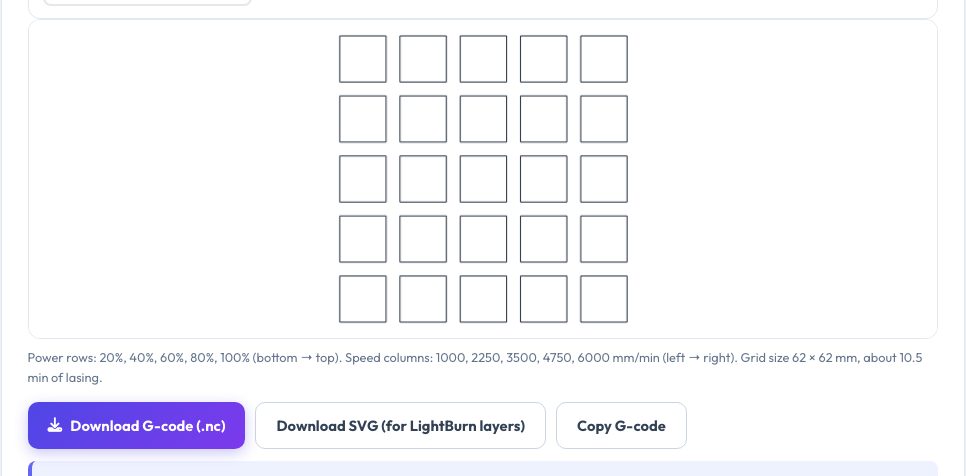
A 5×5 grid from 20% to 100% power and 1,000 to 6,000 mm/min with 10 mm squares and 3 mm gaps covers 62 × 62 mm; engraving at 0.1 mm line interval takes about 10 minutes.
Who uses this tool
Diode and CO₂ laser owners
Find settings for new materials quickly.
Makers and sellers
Calibrate engraving contrast and cut-through.
Beginners
Learn what a laser can and cannot cut safely.
Tips for the best results
- Run tests on scrap from the same batch as your project.
- Keep line interval about half the beam width for solid engraving.
- Use air assist when cutting wood and paper.
- Never leave a laser unattended and always wear rated eye protection.
Common mistakes to avoid
- Cutting PVC or vinyl — it releases toxic chlorine gas.
- Trusting settings from the internet without testing.
- Forgetting to set the machine's S-max to match the G-code.
Why use AZRS QuickFix?
It is 100% free, needs no signup and has no watermark or usage limits. The tool runs in your browser, so what you type stays on your device, and it works on phones, tablets and desktops. New tools are added every week — bookmark this page or browse the full QuickFix toolbox.
Frequently asked questions
Does it work with LightBurn?
Use the SVG for layers; the G-code is for GRBL controllers directly.
What is dynamic mode M4?
Power follows the speed — better for engraving corners.
How do I measure kerf?
Cut the 10 mm squares and measure them with calipers.
Is it safe to laser plywood?
Laser-grade plywood is usually fine with extraction; check the glue.