STL Cross-Section to DXF / SVG Outline (Slice at Any Height)
Cut a 3D model with a plane and export the section outline, area and perimeter, or all layers for laser-cut stacks · free, no signup
See STL Cross-Section to DXF / SVG Outline (Slice at Any Height) in action
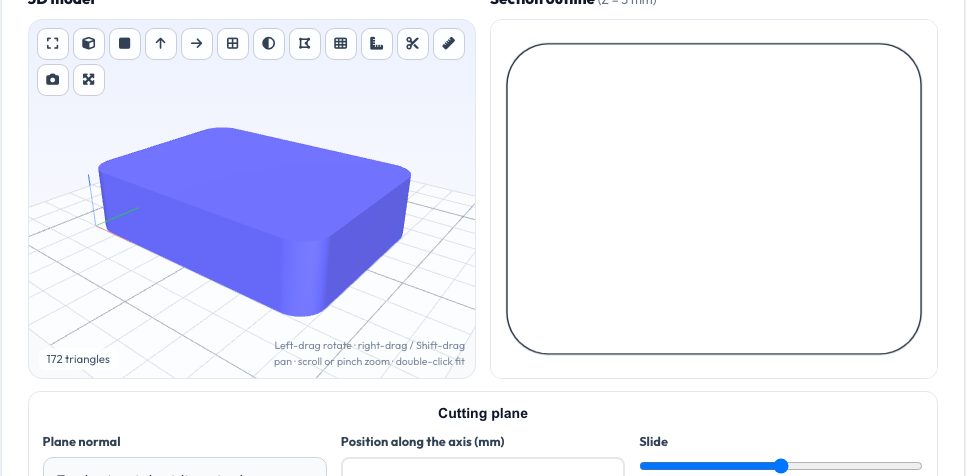
Free STL Cross-Section to DXF / SVG Tool
A section outline answers questions a 3D view cannot: how thick is the wall exactly here, how large is the cross-section area for a flow or stress calculation, and what shape do I cut from plywood to make this profile? Load a model, choose the cutting plane (X, Y or Z), slide it through the part and read the outline, area, perimeter and number of holes live.
Export the current section as DXF or SVG, or export a whole stack of evenly spaced sections as one sheet with a layer per slice — ready for laser cutting stacked contour models, topographic terrain, relief carvings and waffle structures. Slicing is exact (edge by edge) and runs entirely in your browser.
Key features
Any axis, any position
Slide the plane through the model with live outline.
Area & perimeter
Net area with holes subtracted, total cut length, hole count.
Stack export
N evenly spaced layers in one DXF/SVG sheet.
Closed-loop detection
Warns about open contours (gaps in the mesh).
How to use it
- Drop in a model.
- Pick the plane axis and move the slider.
- Check area and perimeter.
- Download the section or the full layer sheet.
Worked example
Example
Cutting a 20 mm diameter cylinder anywhere perpendicular to its axis gives a section area of 314.16 mm² and a perimeter of 62.83 mm.
Who uses this tool
Laser cutter users
Make stacked layer models from any 3D shape.
Engineers
Get cross-section area and perimeter for calculations.
Designers
Create profile templates and jigs.
Teachers
Show sections of solids.
Tips for the best results
- Use 3 mm acrylic or plywood with about 10–40 layers for stacked models.
- For hollow shells check that the number of holes matches what you expect.
- Cut at the widest feature to find the largest outline.
- Use millimetre models; scale them first if the file is in inches.
Common mistakes to avoid
- Slicing exactly through a face and getting a doubled outline — move the plane by 0.01 mm.
- Using an open mesh: gaps break loops.
- Forgetting laser kerf when stacking layers.
Why use AZRS QuickFix?
It is 100% free, needs no signup and has no watermark or usage limits. The tool runs in your browser, so what you type stays on your device, and it works on phones, tablets and desktops. New tools are added every week — bookmark this page or browse the full QuickFix toolbox.
Frequently asked questions
Does it work on assemblies?
Yes, every shell is cut.
What are the axes of the 2-D drawing?
X–Y for Z cuts, Y–Z for X cuts, Z–X for Y cuts.
How accurate is the area?
Exact for the mesh; curved parts depend on triangle density.
Is anything uploaded?
No.