Domain Age & Expiry Checker (RDAP)
Find out when a domain was registered, when it expires and who the registrar is · free, no signup
See Domain Age & Expiry Checker (RDAP) in action
Domain Age Checker — Registration Date, Expiry and Registrar
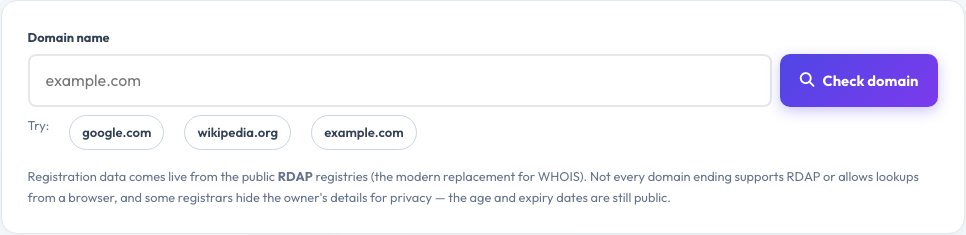
The age of a domain says a lot about it: brands and trustworthy sites tend to be years old, while scam and spam domains are often only days or weeks old. Enter any domain and this checker shows its registration date, exact age in years and months, expiry date with a countdown, the date it was last changed and the sponsoring registrar.
It also lists the domain's status codes, its name servers and whether DNSSEC is enabled, and if a domain is not registered it tells you it appears to be available. Results come live from RDAP, the Registration Data Access Protocol that has replaced WHOIS, straight from the official registries into your browser. Owner names and contact details are often redacted for privacy, but the dates are public.
Key features
Age and registration date
Exact years and months since registration.
Expiry countdown
Days left, with warnings for domains about to expire.
Registrar, status, name servers
Who manages the domain and how.
Availability hint
Shows when a domain looks unregistered.
How to use it
- Type a domain name such as example.com.
- Press Check domain.
- Read the age, registration and expiry dates.
- Review the registrar, status and name servers.
Worked example
Example
example.com · registered 14 August 1995 · age 31 years · registrar RESERVED-Internet Assigned Numbers Authority.
Who uses this tool
Buyers and investors
Check how old a domain is before you buy it.
SEO specialists
Assess a domain's history and trust.
Everyone spotting scams
Very new domains are a warning sign.
Tips for the best results
- Compare the domain age with what the site claims (a “since 1998” shop on a week-old domain is suspicious).
- Set renewal reminders for your own domains and turn on auto-renew.
- Check both .com and other endings for brand protection.
- A domain in redemption or pending delete status is about to be released.
Common mistakes to avoid
- Assuming an old domain is safe — old domains can be resold and reused.
- Expecting the owner's name; privacy services hide it.
- Trying domain endings that do not offer RDAP.
Why use AZRS QuickFix?
It is 100% free, needs no signup and has no watermark or usage limits. The tool runs in your browser, so what you type stays on your device, and it works on phones, tablets and desktops. New tools are added every week — bookmark this page or browse the full QuickFix toolbox.
Frequently asked questions
What is RDAP?
The Registration Data Access Protocol, a modern, standardised replacement for WHOIS that returns structured data.
Why can I not see the owner?
Registries and registrars redact personal data to comply with privacy laws such as GDPR.
Does a new domain mean a scam?
Not always, but a very new domain claiming to be an established business is a red flag.
Why does a lookup fail for some domains?
Some domain endings do not support RDAP or do not allow browser lookups; .com, .net and .org work reliably.
How do I know if a domain is available?
If the lookup says unregistered, check with a registrar — availability can differ for premium or reserved names.
Is my search stored?
No. The lookup goes from your browser to the public RDAP service.