Robots.txt & Sitemap.xml Validator
Check robots.txt syntax and sitemap.xml structure for errors that block Google · free, no signup
See Robots.txt & Sitemap.xml Validator in action
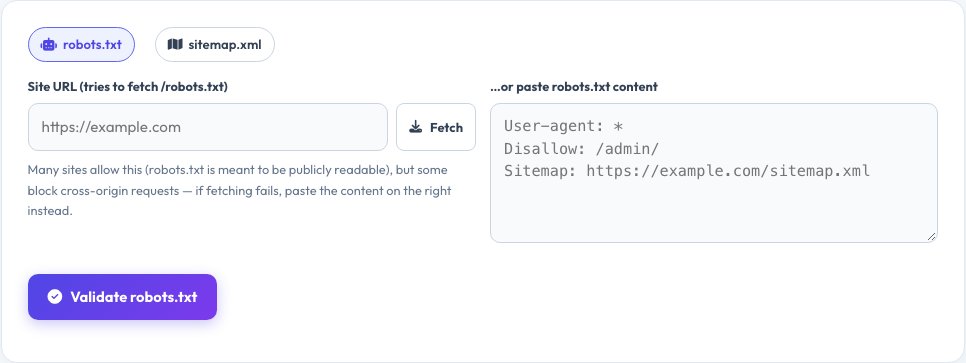
Robots.txt and Sitemap.xml Validator — Catch Crawl-Blocking Mistakes
A single stray character in robots.txt — a slash where there shouldn't be one — can hide an entire website from Google. This tool checks your robots.txt line by line: it confirms every directive (User-agent, Disallow, Allow, Sitemap, Crawl-delay) uses valid syntax, flags unknown or misplaced directives, and specifically calls out the most damaging mistake of all — a <code>Disallow: /</code> under <code>User-agent: *</code> that accidentally blocks every search engine from the entire site.
The sitemap side reads a pasted or fetched sitemap.xml (or a sitemap index) and checks its real XML structure: a valid <code><urlset></code> or <code><sitemapindex></code> root, the correct namespace, that every <code><loc></code> is present and an absolute URL, that <code><lastmod></code> dates parse correctly, that <code><priority></code> stays within 0.0–1.0, and that the file does not exceed the 50,000-URL limit. You can paste content directly, or try fetching a live URL — robots.txt is usually served with open access since it is meant for crawlers, but sitemap.xml fetches can fail due to the browser's CORS security policy, so a manual paste box is always available as a reliable fallback.
Key features
Full robots.txt syntax check
Every directive validated, with line numbers.
Accidental-block detector
Flags Disallow: / and other site-wide blocking mistakes.
Real XML sitemap parsing
Uses the browser's own XML parser, not guesswork.
Fetch or paste
Tries a live URL first, with a reliable manual fallback.
How to use it
- Choose the robots.txt or sitemap.xml tab.
- Enter a site URL and click Fetch, or paste the file content directly.
- Click Validate and read each error, warning and note.
- Fix the issues in your real file and re-check.
Worked example
Example
<code>User-agent: *\nDisallow: /</code> with no Sitemap line → flagged as "blocks ALL search engines" and "no Sitemap directive found".
Who uses this tool
SEO professionals and site owners
Catch a crawl-blocking mistake before it costs rankings.
Developers
Validate robots.txt and sitemap.xml as part of a launch checklist.
Agencies auditing client sites
Quickly spot the most common on-page technical SEO errors.
Tips for the best results
- Always test robots.txt again after any deployment that touches it.
- Keep exactly one Sitemap: line pointing to an absolute HTTPS URL.
- Split sitemaps with more than 50,000 URLs into a sitemap index.
- Use ISO 8601 dates (YYYY-MM-DD) for every lastmod value.
Common mistakes to avoid
- Adding Disallow: / to block a staging site and forgetting to remove it after launch.
- Listing relative URLs like /page instead of https://example.com/page inside a sitemap.
- Trusting a sitemap.xml auto-fetch when the site blocks cross-origin requests — pasting the source is the reliable path.
- Assuming robots.txt hides pages from search results — it only blocks crawling; use noindex to remove pages already indexed.
Why use AZRS QuickFix?
It is 100% free, needs no signup and has no watermark or usage limits. The tool runs in your browser, so what you type stays on your device, and it works on phones, tablets and desktops. New tools are added every week — bookmark this page or browse the full QuickFix toolbox.
Frequently asked questions
Why did fetching my sitemap fail?
Most sites do not send the CORS header that allows browser JavaScript on another domain to read their files. Open the sitemap URL in a new tab, copy its source, and paste it into the box instead.
What does Disallow: / actually do?
It tells the named crawler not to fetch anything on the site. Under User-agent: * it blocks every search engine from the whole site — almost always a mistake.
Do I need a robots.txt at all?
Not strictly, but adding one that at least declares your Sitemap: line helps crawlers find your content faster.
What is the difference between a sitemap and a sitemap index?
A sitemap lists page URLs directly; a sitemap index lists other sitemap files, used when a site has more than 50,000 URLs.
Is my data sent anywhere besides the resolver/site I ask it to fetch?
No. Parsing and validation both run in your browser; a fetch only goes to the exact URL you provide.
Why does a valid-looking lastmod get flagged?
It must be a real, parseable calendar date in YYYY-MM-DD or full ISO 8601 format — text like "today" or a malformed date will be flagged.