Voice Typing (Speech to Text)
Dictate live and see your words typed out as you speak, using your microphone · free, no signup
See Voice Typing (Speech to Text) in action
Free Live Voice Typing (Speech to Text)
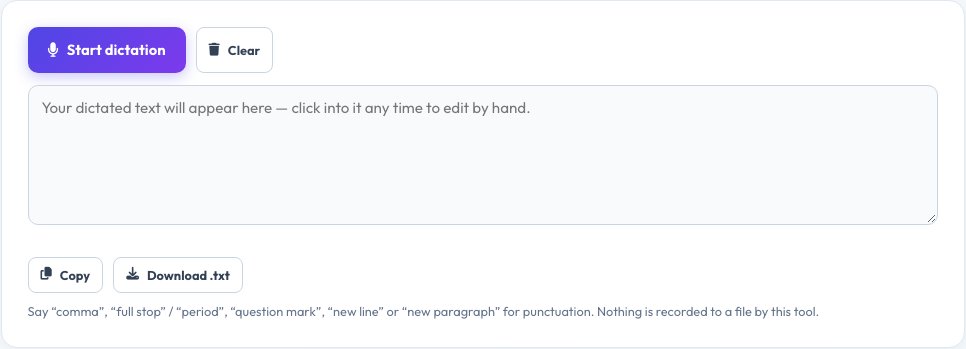
Click the microphone button and start talking — your words appear as text in real time as you speak, using your browser's built-in speech recognition. It is designed for live dictation rather than transcribing a recorded file: draft an email, take quick notes, or write while your hands are busy, then edit the text directly on the page.
Say punctuation commands like “comma”, “full stop” or “new line” and they are converted automatically, and the transcript keeps building as you continue speaking, with pauses handled gracefully. Because it uses your browser's live recognition rather than uploading an audio file to an AI service, results appear instantly with no processing wait.
Key features
Live, real-time text
Words appear as you speak, no waiting.
Punctuation by voice
Say “comma”, “full stop”, “new line” and more.
Editable output
Click into the text and fix anything by hand.
Copy or download
Export the finished dictation as plain text.
How to use it
- Click the microphone icon and allow access.
- Start speaking naturally.
- Say punctuation commands as needed.
- Edit, then copy or download the finished text.
Worked example
Example
Speaking “dear team comma the meeting is moved to friday full stop new line thanks” → “Dear team, the meeting is moved to Friday.\nThanks”
Who uses this tool
Anyone drafting text hands-free
Emails, notes and messages dictated instead of typed.
People with wrist or typing strain
An alternative way to produce text without heavy typing.
Students
Quickly capture spoken ideas or lecture notes.
Tips for the best results
- Speak at a natural, steady pace in a quiet room for the best accuracy.
- Say punctuation words clearly, as a short pause before them.
- Review and correct the text afterwards — recognition is not perfect, especially with accents or background noise.
- Use a headset microphone in noisy environments for better accuracy.
Common mistakes to avoid
- Speaking too fast or too quietly, which reduces recognition accuracy.
- Expecting perfect punctuation and formatting without any manual editing.
- Using it in a very noisy room, which confuses the recognition engine.
Why use AZRS QuickFix?
It is 100% free, needs no signup and has no watermark or usage limits. The tool runs in your browser, so what you type stays on your device, and it works on phones, tablets and desktops. New tools are added every week — bookmark this page or browse the full QuickFix toolbox.
Frequently asked questions
Is this different from the audio transcription tool?
Yes — this dictates live from your microphone as you speak, while a transcription tool processes an already-recorded audio file, usually using an AI model.
Is my voice recorded or uploaded?
The audio is processed by your browser's built-in speech recognition; no separate recording file is saved by this tool.
Which browsers support this?
Chrome, Edge and other Chromium-based browsers have the strongest support for live speech recognition; support varies elsewhere.
Can I dictate in other languages?
Support depends on your browser and operating system's speech recognition languages.
Does it work offline?
No, live speech recognition in the browser typically requires an internet connection.
Can I edit the text afterwards?
Yes, click directly into the transcript and edit it like any text box before copying or downloading.