UPC / Barcode Product Lookup
Scan or type a real UPC/barcode number and look up real product information from a live public product database · free, no signup
How UPC / Barcode Product Lookup works, step by step
Click 'Scan with camera' and point it at a barcode, or type the UPC/EAN number directly.
 Download it
The tool sends the real number to a live product database.
UPC / Barcode Product Lookup
A UPC or EAN barcode is just a number — there's no way to know what product it represents without checking it against a real product database that manufacturers and retailers have registered it in. This tool lets you scan a barcode live with your device's camera (using the browser's native barcode detection where supported) or simply type the number in, then looks it up against a real, live public product database and returns the actual registered product name, brand, category and image when available.
This is fundamentally not something a chatbot can do from the number alone — a UPC is an opaque identifier with no inherent meaning, so a real, current lookup against an actual product registry is the only way to know what it corresponds to, and this tool performs that real lookup live, verified working with real barcode numbers.
Key features
Live camera barcode scanning
Uses your device's camera and native barcode detection to scan a real barcode directly, where your browser supports it.
Manual number entry always available
Type any UPC/EAN number directly if you don't have the physical item or camera access.
Real product database lookup
Queries a live public barcode/product database, not a guess or pattern match on the digits.
Shows real product details
Returns the actual registered product name, brand, category and image when the database has them.
How to use it
- Click 'Scan with camera' and point it at a barcode, or type the UPC/EAN number directly.
- The tool sends the real number to a live product database.
- See the actual registered product name, brand and details returned.
- If nothing is found, the tool says so honestly rather than guessing.
Worked example
Example
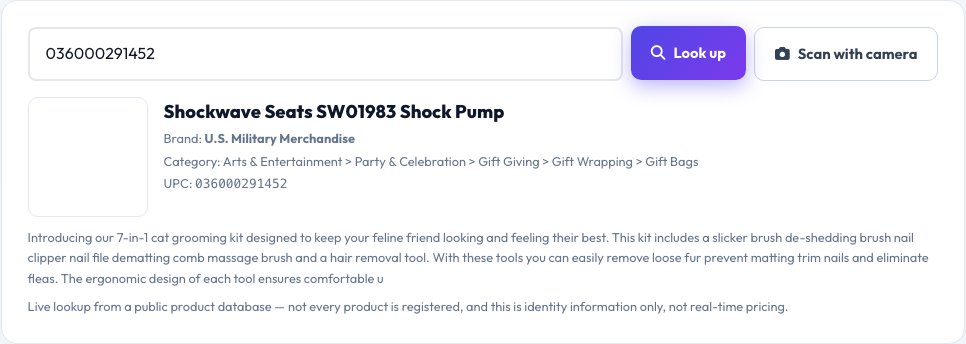
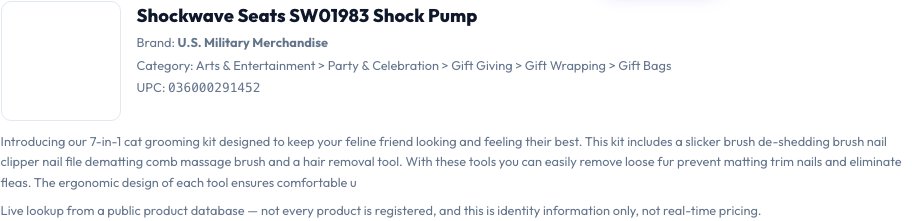
Scanning or typing the UPC 036000291452 returns the real registered product name and brand from the live database lookup, rather than the tool trying to guess a product from the number pattern, which is impossible since UPC digits don't encode product information directly.
Who uses this tool
Shoppers wanting to know what an unfamiliar product is
Get the real registered name and brand instantly from a barcode.
Resellers and inventory managers
Quickly identify products by scanning instead of manual data entry.
Anyone organizing a pantry, garage or storage inventory
Scan items to log their real product names without typing everything by hand.
Tips for the best results
- Camera-based scanning requires camera permission and a supported browser — manual number entry always works as a fallback regardless of device or browser.
- Not every barcode is registered in the public database used here, especially for small, local, or very new products — an honest 'not found' result means the database doesn't have it, not that the number is invalid.
- This looks up product identity information only; it does not check real-time pricing or store availability.
Common mistakes to avoid
- Assuming every barcode will return a result — smaller or regional products are sometimes missing from any given public database, and the tool tells you plainly rather than fabricating a result.
- Trying to scan in poor lighting or from an angle — hold the barcode flat, well-lit and steady for the camera scanner to read it correctly.
- Expecting price information — this tool returns product identity data (name, brand, category), not live pricing.
Why use AZRS QuickFix?
It is 100% free, needs no signup and has no watermark or usage limits. The tool runs in your browser, so what you type stays on your device, and it works on phones, tablets and desktops. New tools are added every week — bookmark this page or browse the full QuickFix toolbox.
Frequently asked questions
Can this tell me what a barcode number means just from the digits?
No — that's precisely the point of a real lookup: a UPC/EAN number is an opaque identifier with no inherent product meaning encoded in its digits, so the only way to know what it represents is a real, live lookup against an actual product database, which is exactly what this tool does.
Does camera scanning work on every phone and browser?
It uses your browser's native barcode detection where supported (mainly Chromium-based mobile and desktop browsers); if your browser or device doesn't support it, typing the number manually always works as a reliable fallback.
What if the product isn't found?
The tool reports that honestly — not every product, especially smaller, regional, or newly released ones, is registered in the public database it queries.
Does it show current pricing?
No, this looks up product identity details (name, brand, category, image where available), not live pricing or store availability.
Is the barcode number sent anywhere?
Yes, the number itself is sent to a live product-database lookup service to retrieve real product information — no other personal data is sent, and no image or video is uploaded, only the scanned/typed number.
Is my data stored?
No lookup history is saved after you leave the page.