Secret Note Link Generator
Encrypt a note with a password and share it as a single link — nothing is stored on a server · free, no signup
See Secret Note Link Generator in action
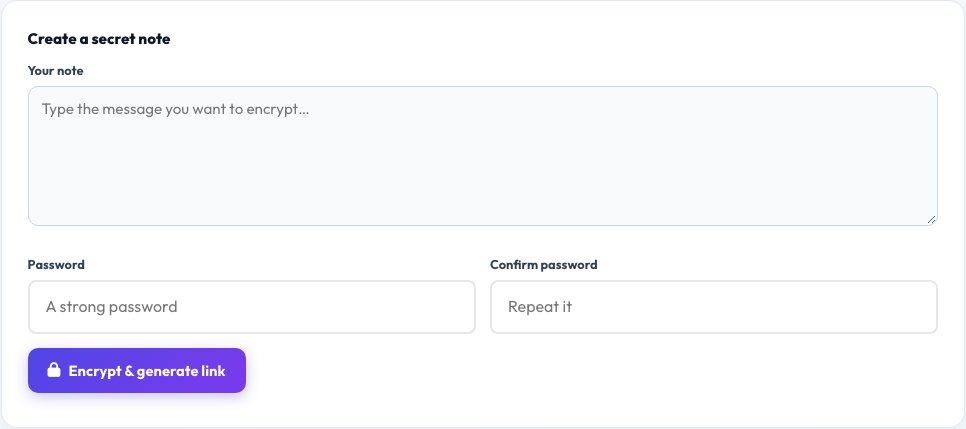
Free Secret Note Link Generator
Sending a password, an API key or a private message over chat or email leaves a permanent, searchable copy sitting in that app's history forever. This tool encrypts your note in your browser using a password you choose (AES-GCM via the Web Crypto API), then packs the encrypted result directly into the link's URL fragment — the part after the # — which browsers never send to any server.
Because nothing is uploaded or stored anywhere, there is no database to breach and no message sitting on a server waiting to be read — the only copy of the plaintext ever created lives briefly in the sender's and, after decrypting, the recipient's browser. Share the link through one channel and the password through a different one (a text message, a phone call) so a single intercepted channel isn't enough to read it.
Key features
Real encryption, not obfuscation
AES-GCM via your browser's built-in Web Crypto API.
Nothing stored on a server
The encrypted note travels inside the link itself, in the URL fragment.
Separate password required
The link alone cannot decrypt the note without the password.
No account or signup
Generate and share a link in seconds.
How to use it
- Type your note and choose a strong password.
- Click Generate to get an encrypted link.
- Share the link and the password through two different channels.
- The recipient pastes the link, enters the password, and reads the note.
Worked example
Example
Note: "The wifi password is Sunflower42" + password "blueLake91" → a link like https://azrscorp.com/quickfix/secret-note-link-generator/#e=AbC123... that only decrypts back to the note with the correct password.
Who uses this tool
Anyone sharing a password or key
Send credentials without leaving them in plain text in chat history.
Remote teams
Share sensitive one-off details like server access or a temporary code.
Privacy-conscious individuals
Send a private message without trusting a third-party server to store it.
Tips for the best results
- Share the link and the password over two different channels, not the same one.
- Use a real, non-guessable password — this only protects the note as well as the password protects it.
- Remember the link itself is not truly "self-destructing" since it's not stored anywhere to delete; treat it as sensitive as long as it might still be opened.
- Avoid putting the password itself inside the note it's protecting.
Common mistakes to avoid
- Sending the link and password in the same message, which defeats the point if that message is intercepted.
- Reusing a weak, guessable password for something genuinely sensitive.
- Assuming this is the same as a one-time-view service — since nothing is stored, the link can technically be opened more than once by anyone who has both the link and the password.
Why use AZRS QuickFix?
It is 100% free, needs no signup and has no watermark or usage limits. The tool runs in your browser, so what you type stays on your device, and it works on phones, tablets and desktops. New tools are added every week — bookmark this page or browse the full QuickFix toolbox.
Frequently asked questions
Is my note stored on your server?
No. The encrypted note is packed entirely into the link itself (in the part after the #), which browsers never transmit to any server — there is nothing on our end to store or breach.
What encryption does it use?
AES-GCM, a strong, modern authenticated encryption algorithm, via your browser's native Web Crypto API — the same underlying cryptography used by many secure messaging tools.
Is this truly self-destructing after one view?
No — because nothing is stored server-side, there is no view counter to enforce a one-time limit. Treat the link as sensitive for as long as anyone might still have and open it.
What happens if I lose the password?
The note cannot be recovered. There is no password reset, because there is no server storing anything to reset.
Can anyone see my note by guessing the link?
The link alone is not enough — without the correct password, the encrypted content in the link cannot be decrypted.
Does this work if I close my browser before sharing the link?
Yes, once generated, the link is a complete, self-contained URL you can copy, save or share at any time afterwards.