Binary / Hex / ASCII Text Translator
Convert text to and from binary, hexadecimal and decimal ASCII codes · free, no signup
See Binary / Hex / ASCII Text Translator in action
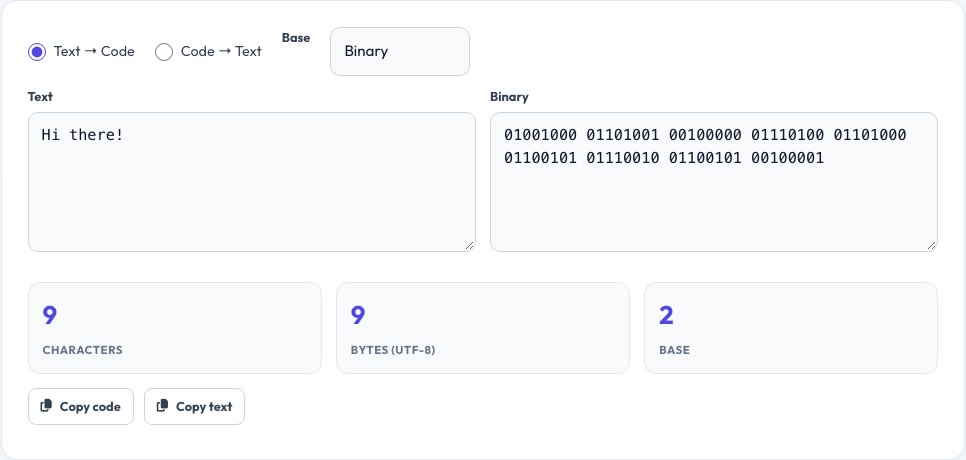
Free Binary, Hex & ASCII Text Translator
Every character you type is stored by computers as a number — this tool shows that number in the base you choose. Type plain text and instantly see it as binary (base 2), hexadecimal (base 16) or decimal ASCII/Unicode code points, or paste any of those back in and get readable text out, using UTF-8 encoding so it also handles accented letters and emoji correctly.
It is a two-way, live-updating converter: whichever side you edit, the other side updates immediately, and you can switch the base for the encoded side at any time without retyping. A byte-count and character-count summary is shown so you can see exactly how much space your text takes up encoded.
Key features
Text ⇄ binary, hex or decimal
Convert in either direction, live as you type.
Full UTF-8 support
Handles accented characters and emoji correctly, not just plain ASCII.
Byte-count summary
See exactly how many bytes your text encodes to.
Copy either side instantly
One click copies the text or the encoded output.
How to use it
- Choose Text→Code or Code→Text.
- Pick binary, hex or decimal as the code base.
- Type or paste into the active box.
- Read the live conversion on the other side and copy it.
Worked example
Example
Text: "Hi"
Binary: 01001000 01101001
Hex: 48 69
Decimal: 72 105
Who uses this tool
Students learning computer science
See how characters map to binary and hex in practice.
Developers
Quickly decode a hex or binary string found in logs or data dumps.
Puzzle and CTF enthusiasts
Decode simple binary or hex-encoded messages.
Tips for the best results
- Use hex rather than binary for long text — it's a quarter of the length and just as exact.
- Remember multi-byte UTF-8 characters (like emoji) encode to more than one byte each.
- Spaces between binary/hex groups are for readability only — the converter accepts input with or without them.
- For encoding used in URLs specifically, use a URL/percent-encoding tool instead, since it differs from raw hex.
Common mistakes to avoid
- Assuming one character always equals one byte — true for plain ASCII text but not for emoji or many accented characters in UTF-8.
- Mixing up hex bytes with decimal bytes when pasting code back in.
- Forgetting leading zeros matter in binary — 1000001 and 01000001 both decode the same but formatting varies by source.
Why use AZRS QuickFix?
It is 100% free, needs no signup and has no watermark or usage limits. The tool runs in your browser, so what you type stays on your device, and it works on phones, tablets and desktops. New tools are added every week — bookmark this page or browse the full QuickFix toolbox.
Frequently asked questions
Is this the same as ASCII-only?
It supports full UTF-8, which is a superset of ASCII, so plain English text produces the same output as a strict ASCII table but it also correctly handles emoji and accented letters.
Why does one emoji produce 4 bytes?
Many emoji live outside the Basic Multilingual Plane and require 4 bytes to encode in UTF-8, unlike simple Latin letters which use 1 byte.
Can I convert binary back to text?
Yes, switch to Code→Text, paste space-separated binary (or hex, or decimal), and it decodes back to readable text.
Is my text sent anywhere?
No, all encoding and decoding happens locally in your browser.
What's the difference between hex and binary here?
Both represent the exact same underlying bytes; hex is just a shorter, easier-to-read notation (base 16 vs base 2).
Does it handle line breaks and tabs?
Yes, they encode to their standard byte values (for example, a line break is 0A in hex) just like any other character.