STL Repair Tool & Mesh Checker
Find and fix holes, flipped normals and non-manifold edges in STL files · free, no signup
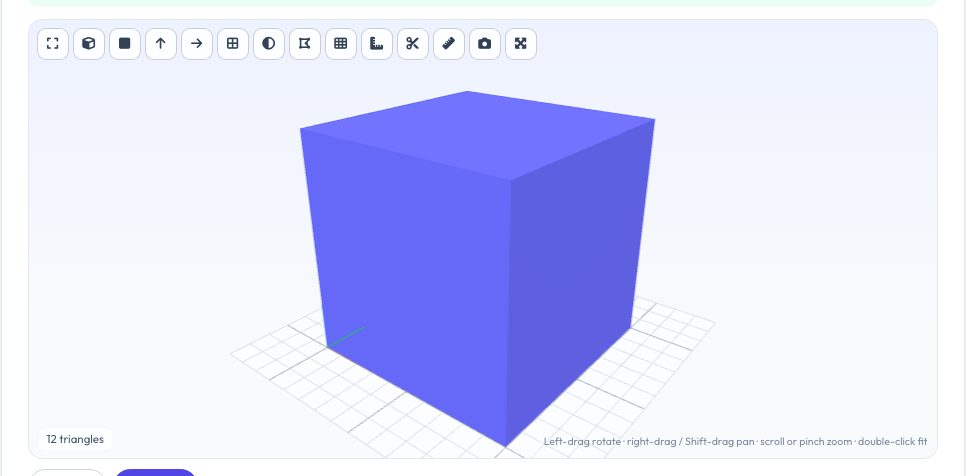
See STL Repair Tool & Mesh Checker in action
Free STL Repair Tool — Make Meshes Watertight
A slicer needs a closed, consistently oriented surface: every edge must be shared by exactly two triangles and every normal must point outward. Downloaded and scanned models often break those rules — holes, flipped faces, duplicate triangles, inside-out shells — and the result is missing layers, strange infill or an error such as 'non-manifold edges'. This tool analyses the mesh edge by edge, highlights every open and non-manifold edge in a 3D view, and repairs everything that can be fixed safely.
Repairs include welding duplicate vertices, deleting zero-area and duplicate triangles, re-orienting inconsistent normals across each connected shell, flipping inside-out shells, filling holes (planar ones are triangulated, curved ones are capped) up to a size you choose, and optionally dropping tiny loose fragments. You get a before/after table so you can see exactly what changed, then download as STL, 3MF or OBJ.
Key features
Edge-level diagnosis
Counts open edges, non-manifold edges, flipped normals, zero-area faces and shells — and shows them in 3D.
Automatic repair
Weld, de-duplicate, re-orient, fix inside-out shells and fill holes with one click.
Before / after report
Volume, triangle count and every defect compared side by side.
Private
The file never leaves your browser.
How to use it
- Drop in your STL (or OBJ/3MF/PLY/STEP).
- Look at the red/orange marks showing problems.
- Keep the default options and press Repair mesh.
- Check the before/after table and download the repaired file.
Worked example
Example
A bracket STL with 3 open edges (a missing triangle on one face) and 8 flipped-normal edges is repaired by welding 25 duplicate vertices, filling 1 hole with 1 triangle and re-orienting 8 triangles — the result is a watertight mesh with the exact 1000 mm³ volume of the original solid.
Who uses this tool
Makers downloading models from Thingiverse/Printables/Sketchfab
Fix 'non-manifold' warnings before slicing.
CAD students exporting STL
Catch bad exports from lightweight modelling tools.
People with 3D scans
Close small holes and remove noise shells.
Tips for the best results
- Fix problems in CAD if you can: re-exporting a solid body is cleaner than repairing a mesh.
- Raise 'largest hole to fill' only if you are sure big openings are mistakes (e.g. a missing bottom) — a big flat fill can be correct, a big fill across a curved gap is not.
- Remove tiny loose shells to delete floating debris from scans.
- After repair, check the model in the 3D viewer — and the section tool — before printing.
Common mistakes to avoid
- Assuming every mesh error can be auto-fixed — internal walls and T-junctions (non-manifold edges) need modelling software.
- Filling a huge hole on an organic model and distorting the shape.
- Repairing a mesh that is intentionally open (a surface/shell for a vase mode).
Why use AZRS QuickFix?
It is 100% free, needs no signup and has no watermark or usage limits. The tool runs in your browser, so what you type stays on your device, and it works on phones, tablets and desktops. New tools are added every week — bookmark this page or browse the full QuickFix toolbox.
Frequently asked questions
What does non-manifold mean?
An edge shared by three or more triangles (or one that belongs to a single triangle). A printable solid needs every edge shared by exactly two.
What are flipped normals?
Triangles whose winding makes them point inward. Slicers get confused about what is inside the part; the repair makes all normals consistent and outward.
Will repairing change my model's size?
No — vertices are only merged (by a micro-tolerance) and missing faces added; the overall geometry stays the same.
Is it safe for confidential parts?
Yes. Nothing is uploaded.
What if problems remain after repair?
The report lists them. Non-manifold geometry usually needs Blender's 3D-Print Toolbox, Meshmixer or a re-export from CAD.