DNS Propagation Checker
See if a DNS change has spread by comparing Google and Cloudflare's global resolvers side by side · free, no signup
See DNS Propagation Checker in action
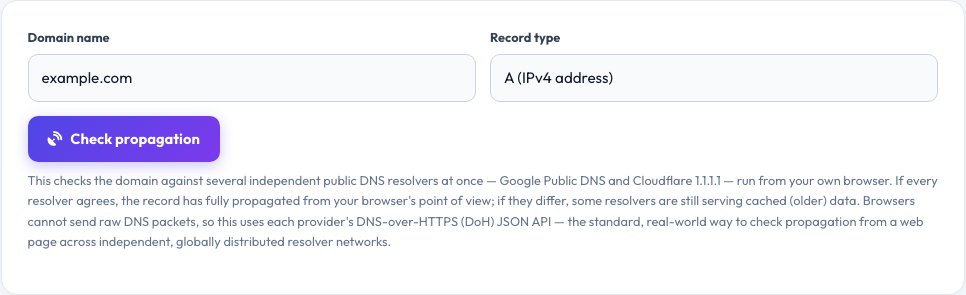
DNS Propagation Checker — Compare Independent Resolvers Side by Side
After you change a DNS record — pointing a domain to a new server, adding an MX record, updating a TXT verification string — the change does not appear everywhere instantly. Every DNS resolver around the world caches answers for as long as the record's TTL allows, so different people can see the old and new values for hours or even days. This tool checks a domain's A, AAAA, MX, TXT, NS or CNAME record against two independent, globally distributed public resolvers at once — Google Public DNS and Cloudflare 1.1.1.1 — and shows the results side by side with a clear verdict on whether they agree.
Browsers cannot send the raw UDP DNS packets that a command-line tool like <code>dig</code> uses; instead this checker uses each provider's DNS-over-HTTPS (DoH) JSON API, the standard, secure way for a web page to query DNS directly from your browser. Because Google's and Cloudflare's resolver networks are each spread across dozens of physical locations worldwide and answer from whichever is nearest to the requester, agreement between these two large independent networks is a strong, real-world signal that a change has spread — this is what "propagation" means for a tool that runs in a browser rather than dialling into servers on every continent.
Key features
Two independent global resolvers
Google Public DNS and Cloudflare 1.1.1.1, queried at once.
6 record types
A, AAAA, MX, TXT, NS and CNAME.
Clear agree/disagree verdict
Instantly see whether the record has settled.
TTL shown per answer
Understand how long a resolver may keep serving a cached value.
How to use it
- Enter a domain name.
- Choose the record type you changed (A, MX, TXT, etc.).
- Click Check propagation.
- Compare both resolver panels — if they match, the change has spread.
Worked example
Example
After pointing example.com's A record to a new IP: Google Public DNS shows the new IP, but Cloudflare still shows the old one — the change has not fully propagated yet; re-check again after the record's TTL expires.
Who uses this tool
Site owners after a server migration
Confirm a domain now points to the new host everywhere.
Email administrators
Check that a new MX or SPF TXT record has taken effect before troubleshooting delivery.
Developers debugging DNS
See exactly what two major independent resolvers are currently returning.
Tips for the best results
- Lower a record's TTL a day before a planned change so old answers expire faster.
- Re-check every 15–30 minutes rather than repeatedly refreshing — resolvers cache for their TTL regardless.
- If the two resolvers disagree, wait roughly the old record's TTL in seconds before assuming something is wrong.
- For mail, always confirm both MX and any TXT (SPF/DKIM/DMARC) records together.
Common mistakes to avoid
- Expecting a DNS change to be instant everywhere — caching is by design and normal.
- Only checking one resolver and assuming the whole internet sees the same thing.
- Forgetting that lowering the TTL after making a change is too late — it must be lowered before the change.
Why use AZRS QuickFix?
It is 100% free, needs no signup and has no watermark or usage limits. The tool runs in your browser, so what you type stays on your device, and it works on phones, tablets and desktops. New tools are added every week — bookmark this page or browse the full QuickFix toolbox.
Frequently asked questions
What does it mean if the two resolvers show different answers?
One of them is still serving a cached value from before your change. This is completely normal until the record's original TTL expires everywhere.
Why only two resolvers?
Google and Cloudflare are two of the largest, most widely used public resolver networks and both offer a browser-friendly DNS-over-HTTPS API with open CORS access; other providers were tested but do not reliably support direct browser requests.
How long does full propagation usually take?
Often minutes if the old TTL was short, but it can take up to 24–48 hours for records with long TTLs or certain registrar-level changes like nameserver updates.
Does this replace a command-line dig or nslookup?
For most everyday checks, yes — it queries the same global infrastructure. For raw protocol-level debugging, a command-line tool still offers more control.
Is my domain lookup private?
The query goes straight from your browser to Google's and Cloudflare's public DNS services; this site does not see or log it.
Why does MX or TXT show unusual text?
MX records include a priority number before the mail server name, and TXT records often contain SPF, DKIM or verification strings exactly as published.